Notion Template Stores (AI-Enhanced)
Creators on Gumroad and Notion's own marketplace collectively earned over $50 million from digital templates in the past two years alone — and a new wave of entrepreneurs is now supercharging those numbers using AI.

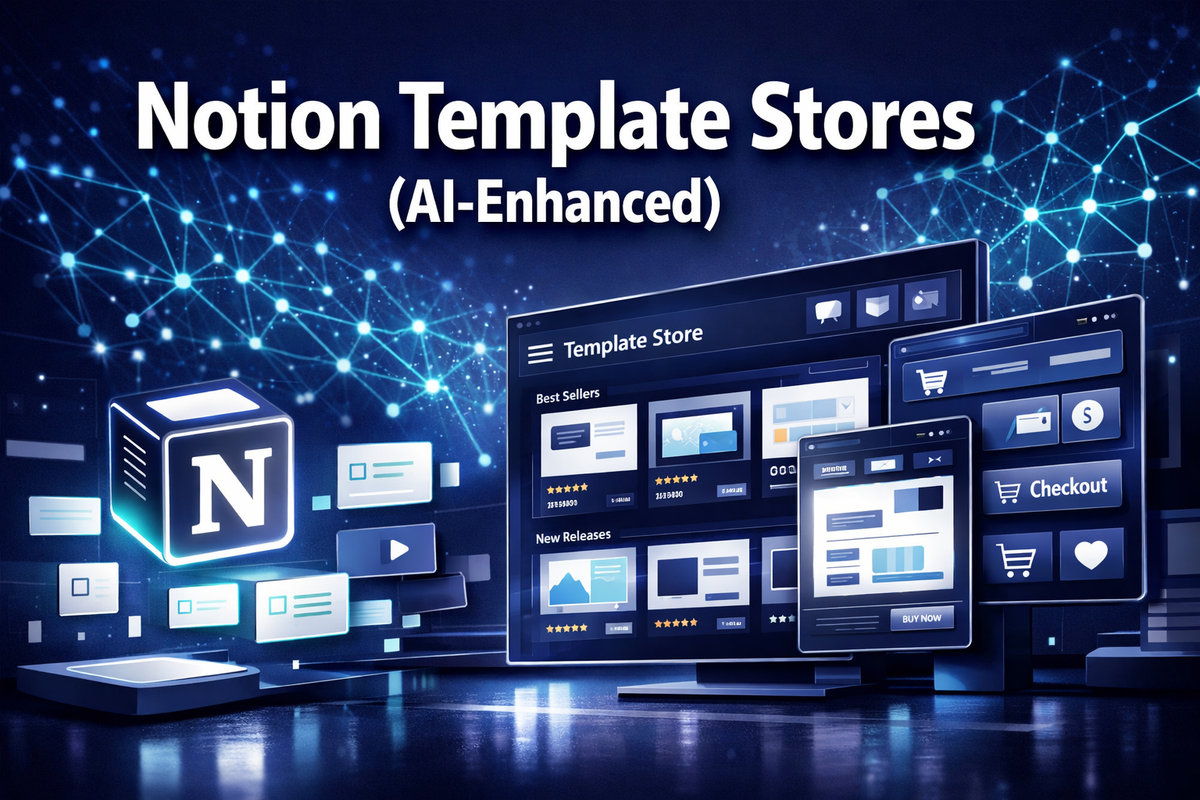
Creators on Gumroad and Notion's own marketplace collectively earned over $50 million from digital templates in the past two years alone — and a new wave of entrepreneurs is now supercharging those numbers using AI. Notion Template Stores (AI-Enhanced) represent one of the most accessible, low-overhead online businesses available right now, combining the exploding demand for productivity tools with the efficiency of artificial intelligence.
Whether the goal is a full-time income replacement or a scalable side hustle, understanding how AI-enhanced Notion template stores work — and how to build one — is a genuine competitive advantage in 2026.
Key Takeaways 📌
- Notion Template Stores (AI-Enhanced) combine AI-generated design, copy, and automation to dramatically reduce the time needed to build and sell templates.
- Passive income potential is real: top sellers earn $2,000–$10,000/month with minimal ongoing effort.
- AI tools help with everything from market research to SEO-optimized product descriptions.
- Multiple platforms exist for selling, each with different fee structures and audience sizes.
- Starting costs can be under $50, making this one of the most accessible online businesses in 2026.
What Are Notion Template Stores (AI-Enhanced) and Why Do They Matter?
A Notion template is a pre-built workspace layout inside the Notion productivity app — think CRM systems, content calendars, budget trackers, project dashboards, and habit trackers. Users purchase these templates to skip the setup work and get organized faster.
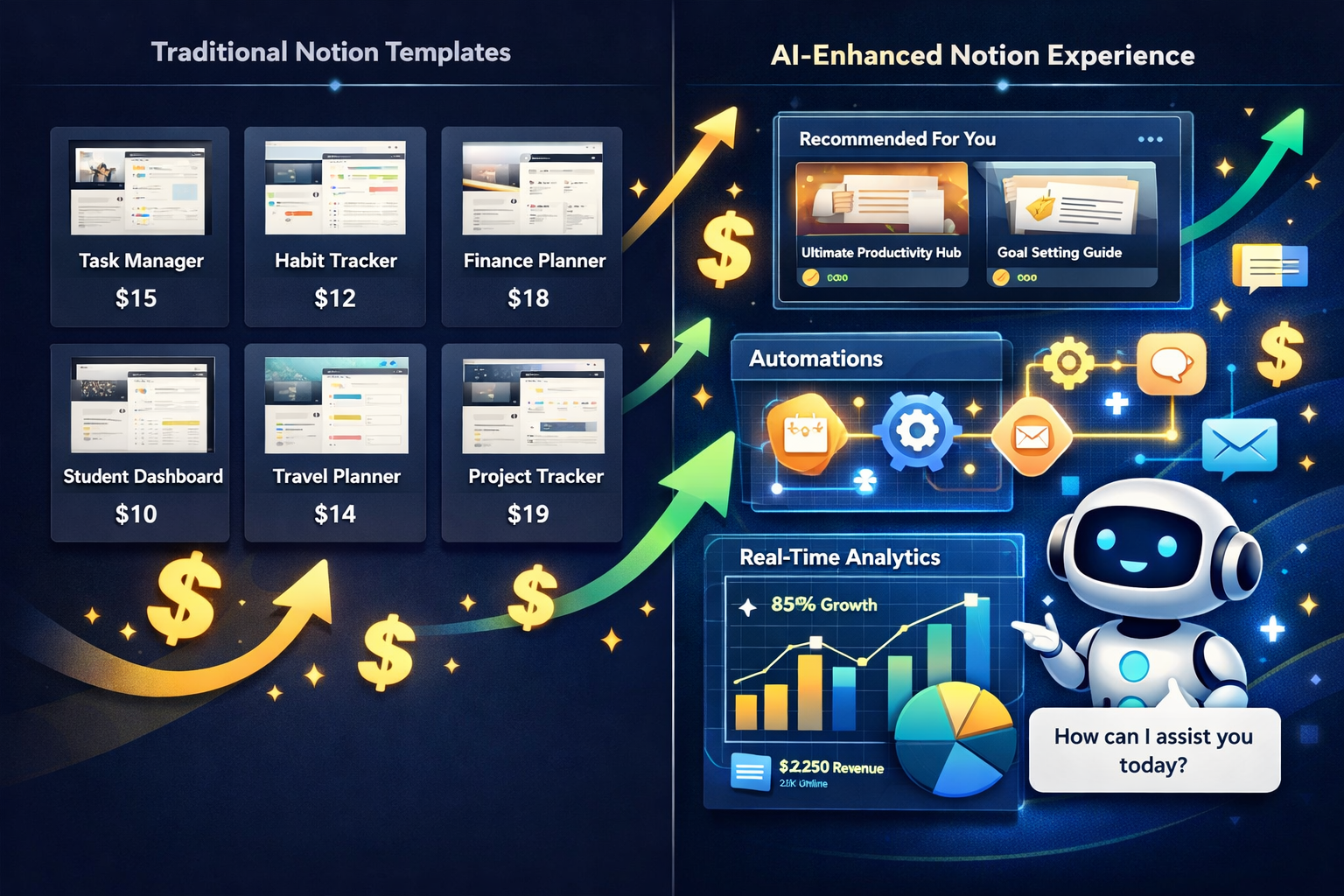
An AI-enhanced version of this business takes the concept several steps further:
| Traditional Template Store | AI-Enhanced Template Store |
|---|---|
| Manual design process | AI-generated layouts and structure |
| Basic product descriptions | SEO-optimized copy via AI writing tools |
| Limited product range | Rapid bulk creation using AI prompts |
| Static pricing | Dynamic pricing insights via AI analytics |
| Manual customer support | AI chatbot integration |
💡 Pull Quote: "AI doesn't replace the creator — it multiplies their output. A solo operator can now run what previously required a small team."
Why Notion Specifically?
Notion has surpassed 30 million users globally and continues growing. Its flexible block-based system makes it ideal for templates across dozens of niches: solopreneurs, students, real estate agents, coaches, developers, and more. This diversity means there is always an underserved audience waiting for the right template.
The AI Advantage Explained
AI tools like ChatGPT, Claude, and Midjourney are now embedded into the template creation workflow:
- 🤖 ChatGPT/Claude — Generate template structures, property names, formula logic, and product descriptions
- 🎨 Midjourney/DALL·E — Create cover images and promotional graphics
- 📊 AI analytics tools — Identify trending niches and keywords
- ⚙️ Zapier + AI — Automate delivery, email sequences, and upsells
This stack means a single creator can launch 10–20 templates per month instead of the 2–3 a traditional creator might manage.
How to Build and Monetize Notion Template Stores (AI-Enhanced)
Getting started requires a clear process. Breaking it into phases makes the business manageable and scalable.

Phase 1: Niche Research (AI-Assisted)
Before building anything, validate demand. Use these methods:
- Prompt ChatGPT to list the top 20 underserved productivity niches for Notion in 2026
- Check Google Trends for search volume on terms like "Notion CRM template" or "Notion student planner"
- Browse Gumroad and Etsy for best-selling templates — note review counts and price points
- Use SEO tools (Ahrefs, Ubersuggest) to find low-competition, high-intent keywords
🔑 Best niches in 2026 include: freelancer invoicing, AI project management, real estate deal tracking, content creator OS, and mental health journaling.
Phase 2: Template Creation with AI
Here is a proven AI-assisted workflow:
Step 1: Prompt an AI tool with: "Design a Notion CRM template for freelance graphic designers. Include client pipeline, invoice tracker, project notes, and follow-up reminders."
Step 2: Build the structure in Notion based on the AI output — this cuts design time by 60–70%.
Step 3: Use AI to write the product title, description, and bullet-point features optimized for search.
Step 4: Generate a professional cover image using Midjourney or Canva AI.
Step 5: Record a short Loom walkthrough video — buyers convert at 3x higher rates with video demos.
Phase 3: Setting Up the Store
Multiple platforms serve AI-enhanced Notion template stores:
| Platform | Fee Structure | Best For |
|---|---|---|
| Gumroad | 10% transaction fee | Beginners, simple setup |
| Notion Marketplace | Free listing | Discoverability, free templates |
| Etsy | $0.20/listing + 6.5% | Buyers already searching |
| Payhip | Free plan available | Digital downloads, low fees |
| Own website | Hosting costs only | Full control, brand building |
💡 Pro Tip: Start on Gumroad or Etsy for immediate traffic, then migrate high-performers to a personal website to eliminate platform fees.
Phase 4: Pricing Strategy
AI tools can analyze competitor pricing and suggest optimal price points. General benchmarks:
- Simple templates (single-use): $7–$19
- System templates (multi-database): $27–$67
- Template bundles: $49–$147
- Premium OS templates (full life/business OS): $97–$297
Subscription models are emerging in 2026 — offering monthly template drops for $9–$19/month creates predictable recurring revenue.
Phase 5: Marketing with AI
AI transforms marketing from a bottleneck into a growth engine:
- ✍️ Blog content: Use AI to write SEO articles targeting "best Notion template for [niche]" keywords
- 📱 Pinterest & TikTok: AI tools generate short-form video scripts and pin descriptions
- 📧 Email sequences: AI drafts welcome sequences that upsell bundles automatically
- 🔗 Affiliate programs: Recruit other creators to promote templates for 30–40% commission
Revenue Potential and Realistic Expectations
Transparency matters. Here is what real data suggests:
| Monthly Revenue | What It Requires |
|---|---|
| $500–$1,000 | 5–10 templates, basic SEO, 1 platform |
| $1,000–$3,000 | 20+ templates, multi-platform, email list |
| $3,000–$7,000 | Bundle strategy, affiliates, consistent content |
| $7,000–$15,000+ | Full template OS products, subscription model, community |
The AI advantage compresses the timeline. What took traditional sellers 12–18 months to achieve is now achievable in 4–6 months with an AI-assisted workflow.
Common Mistakes to Avoid 🚫
- Ignoring SEO: Templates with no keyword optimization get zero organic traffic
- Skipping video demos: Conversion rates drop significantly without walkthroughs
- Pricing too low: Underpricing signals low quality — test higher price points
- One-platform dependency: Diversify across at least 2–3 selling channels
- No email list: Building an audience is the single biggest long-term asset
Interactive Tool: Notion Template Store Revenue Estimator
Use the calculator below to estimate monthly revenue potential based on your store setup:
<!DOCTYPE html>
<html lang="en">
<head>
<meta charset="UTF-8">
<meta name="viewport" content="width=device-width, initial-scale=1.0">
<title>Notion Template Store Revenue Estimator</title>
<style>
  .cg-element-wrapper {
    font-family: 'Segoe UI', Arial, sans-serif;
    max-width: 680px;
    margin: 0 auto;
    background: linear-gradient(135deg, #1a1a2e 0%, #16213e 50%, #0f3460 100%);
    border-radius: 16px;
    padding: 32px 28px;
    color: #ffffff;
    box-shadow: 0 20px 60px rgba(0,0,0,0.4);
  }
  .cg-element-title {
    text-align: center;
    font-size: 1.4rem;
    font-weight: 700;
    margin-bottom: 6px;
    color: #00d4ff;
    letter-spacing: 0.5px;
  }
  .cg-element-subtitle {
    text-align: center;
    font-size: 0.85rem;
    color: #a0b4c8;
    margin-bottom: 28px;
  }
  .cg-element-group {
    margin-bottom: 20px;
  }
  .cg-element-label {
    display: flex;
    justify-content: space-between;
    align-items: center;
    font-size: 0.9rem;
    color: #c8d8e8;
    margin-bottom: 8px;
    font-weight: 500;
  }
  .cg-element-value-badge {
    background: #00d4ff22;
    color: #00d4ff;
    padding: 2px 10px;
    border-radius: 20px;
    font-weight: 700;
    font-size: 0.9rem;
    min-width: 60px;
    text-align: center;
  }
  .cg-element-slider {
    -webkit-appearance: none;
    appearance: none;
    width: 100%;
    height: 6px;
    border-radius: 3px;
    background: #1e3a5f;
    outline: none;
    cursor: pointer;
  }
  .cg-element-slider::-webkit-slider-thumb {
    -webkit-appearance: none;
    appearance: none;
    width: 20px;
    height: 20px;
    border-radius: 50%;
    background: linear-gradient(135deg, #00d4ff, #0099cc);
    cursor: pointer;
    box-shadow: 0 2px 8px rgba(0,212,255,0.4);
    transition: transform 0.15s;
  }
  .cg-element-slider::-webkit-slider-thumb:hover {
    transform: scale(1.2);
  }
  .cg-element-slider::-moz-range-thumb {
    width: 20px;
    height: 20px;
    border-radius: 50%;
    background: linear-gradient(135deg, #00d4ff, #0099cc);
    cursor: pointer;
    border: none;
    box-shadow: 0 2px 8px rgba(0,212,255,0.4);
  }
  .cg-element-select {
    width: 100%;
    padding: 10px 14px;
    background: #1e3a5f;
    border: 1px solid #2a5080;
    border-radius: 8px;
    color: #ffffff;
    font-size: 0.9rem;
    cursor: pointer;
    outline: none;
    appearance: none;
    -webkit-appearance: none;
  }
  .cg-element-select:focus {
    border-color: #00d4ff;
  }
  .cg-element-divider {
    border: none;
    border-top: 1px solid #2a5080;
    margin: 24px 0;
  }
  .cg-element-results {
    background: rgba(0,212,255,0.08);
    border: 1px solid rgba(0,212,255,0.25);
    border-radius: 12px;
    padding: 20px 24px;
  }
  .cg-element-results-title {
    font-size: 0.85rem;
    color: #a0b4c8;
    text-transform: uppercase;
    letter-spacing: 1px;
    margin-bottom: 16px;
    font-weight: 600;
  }
  .cg-element-metric {
    display: flex;
    justify-content: space-between;
    align-items: center;
    margin-bottom: 12px;
    padding-bottom: 12px;
    border-bottom: 1px solid rgba(255,255,255,0.06);
  }
  .cg-element-metric:last-child {
    border-bottom: none;
    margin-bottom: 0;
    padding-bottom: 0;
  }
  .cg-element-metric-label {
    font-size: 0.88rem;
    color: #c8d8e8;
  }
  .cg-element-metric-value {
    font-size: 1.1rem;
    font-weight: 700;
    color: #00d4ff;
  }
  .cg-element-highlight {
    font-size: 1.5rem !important;
    color: #00ff88 !important;
  }
  .cg-element-tier {
    text-align: center;
    margin-top: 16px;
    padding: 10px;
    border-radius: 8px;
    font-weight: 700;
    font-size: 0.95rem;
    letter-spacing: 0.5px;
  }
  .cg-element-tier-beginner { background: rgba(100,180,255,0.15); color: #64b4ff; }
  .cg-element-tier-growing { background: rgba(255,200,50,0.15); color: #ffc832; }
  .cg-element-tier-advanced { background: rgba(0,255,136,0.15); color: #00ff88; }
  .cg-element-tier-expert { background: rgba(255,100,100,0.15); color: #ff6464; }
  .cg-element-footer {
    text-align: center;
    font-size: 0.75rem;
    color: #607080;
    margin-top: 18px;
  }
  @media (max-width: 480px) {
    .cg-element-wrapper { padding: 22px 16px; }
    .cg-element-title { font-size: 1.15rem; }
  }
</style>
</head>
<body>
<div class="cg-element-wrapper">
  <div class="cg-element-title">🚀 Notion Template Store Revenue Estimator</div>
  <div class="cg-element-subtitle">AI-Enhanced Store · 2026 Projections</div>

  <div class="cg-element-group">
    <div class="cg-element-label">
      <span>Number of Templates</span>
      <span class="cg-element-value-badge" id="cg-templates-val">10</span>
    </div>
    <input type="range" class="cg-element-slider" id="cg-templates" min="1" max="100" value="10" step="1">
  </div>

  <div class="cg-element-group">
    <div class="cg-element-label">
      <span>Average Template Price ($)</span>
      <span class="cg-element-value-badge" id="cg-price-val">$27</span>
    </div>
    <input type="range" class="cg-element-slider" id="cg-price" min="7" max="297" value="27" step="1">
  </div>

  <div class="cg-element-group">
    <div class="cg-element-label">
      <span>Monthly Visitors (per template)</span>
      <span class="cg-element-value-badge" id="cg-visitors-val">50</span>
    </div>
    <input type="range" class="cg-element-slider" id="cg-visitors" min="10" max="500" value="50" step="5">
  </div>

  <div class="cg-element-group">
    <div class="cg-element-label">
      <span>Conversion Rate (%)</span>
      <span class="cg-element-value-badge" id="cg-conv-val">2%</span>
    </div>
    <input type="range" class="cg-element-slider" id="cg-conv" min="0.5" max="8" value="2" step="0.5">
  </div>

  <div class="cg-element-group">
    <div class="cg-element-label"><span>Platform Fee Structure</span></div>
    <select class="cg-element-select" id="cg-platform">
      <option value="0.10">Gumroad (10% fee)</option>
      <option value="0.065">Etsy (6.5% fee)</option>
      <option value="0.00">Own Website (0% fee)</option>
      <option value="0.05">Payhip Free Plan (5% fee)</option>
    </select>
  </div>

  <div class="cg-element-group">
    <div class="cg-element-label"><span>AI Enhancement Level</span></div>
    <select class="cg-element-select" id="cg-ai">
      <option value="1.0">None (Traditional)</option>
      <option value="1.25">Basic AI (ChatGPT descriptions)</option>
      <option value="1.5" selected>Moderate AI (SEO + design)</option>
      <option value="1.85">Advanced AI (Full automation stack)</option>
    </select>
  </div>

  <hr class="cg-element-divider">

  <div class="cg-element-results">
    <div class="cg-element-results-title">📊 Estimated Monthly Results</div>
    <div class="cg-element-metric">
      <span class="cg-element-metric-label">Total Monthly Sales</span>
      <span class="cg-element-metric-value" id="cg-sales-out">10 sales</span>
    </div>
    <div class="cg-element-metric">
      <span class="cg-element-metric-label">Gross Revenue</span>
      <span class="cg-element-metric-value" id="cg-gross-out">$270</span>
    </div>
    <div class="cg-element-metric">
      <span class="cg-element-metric-label">Platform Fees</span>
      <span class="cg-element-metric-value" id="cg-fees-out" style="color:#ff8080;">-$27</span>
    </div>
    <div class="cg-element-metric">
      <span class="cg-element-metric-label">AI Boost Applied</span>
      <span class="cg-element-metric-value" id="cg-boost-out">1.5x</span>
    </div>
    <div class="cg-element-metric">
      <span class="cg-element-metric-label">💰 Net Monthly Revenue</span>
      <span class="cg-element-metric-value cg-element-highlight" id="cg-net-out">$364</span>
    </div>
    <div class="cg-element-metric">
      <span class="cg-element-metric-label">📅 Projected Annual Revenue</span>
      <span class="cg-element-metric-value" id="cg-annual-out">$4,365</span>
    </div>
    <div class="cg-element-tier" id="cg-tier-badge">🌱 Beginner Store</div>
  </div>

  <div class="cg-element-footer">Estimates based on 2026 market averages. Results vary based on niche, marketing effort, and template quality.</div>
</div>

<script>
  function cg_calc() {
    var templates = parseInt(document.getElementById('cg-templates').value);
    var price = parseFloat(document.getElementById('cg-price').value);
    var visitors = parseInt(document.getElementById('cg-visitors').value);
    var conv = parseFloat(document.getElementById('cg-conv').value) / 100;
    var fee = parseFloat(document.getElementById('cg-platform').value);
    var ai = parseFloat(document.getElementById('cg-ai').value);

    document.getElementById('cg-templates-val').textContent = templates;
    document.getElementById('cg-price-val').textContent = '$' + price;
    document.getElementById('cg-visitors-val').textContent = visitors;
    document.getElementById('cg-conv-val').textContent = (conv * 100).toFixed(1) + '%';

    var salesRaw = templates * visitors * conv;
    var gross = salesRaw * price * ai;
    var fees = gross * fee;
    var net = gross - fees;
    var annual = net * 12;

    document.getElementById('cg-sales-out').textContent = Math.round(salesRaw * ai) + ' sales';
    document.getElementById('cg-gross-out').textContent = '$' + gross.toFixed(0).replace(/\B(?=(\d{3})+(?!\d))/g, ',');
    document.getElementById('cg-fees-out').textContent = '-$' + fees.toFixed(0).replace(/\B(?=(\d{3})+(?!\d))/g, ',');
    document.getElementById('cg-boost-out').textContent = ai + 'x';
    document.getElementById('cg-net-out').textContent = '$' + net.toFixed(0).replace(/\B(?=(\d{3})+(?!\d))/g, ',');
    document.getElementById('cg-annual-out').textContent = '$' + annual.toFixed(0).replace(/\B(?=(\d{3})+(?!\d))/g, ',');

    var tier = document.getElementById('cg-tier-badge');
    if (net < 1000) {
      tier.textContent = '🌱 Beginner Store'; tier.className = 'cg-element-tier cg-element-tier-beginner';
    } else if (net < 3000) {
      tier.textContent = '📈 Growing Store'; tier.className = 'cg-element-tier cg-element-tier-growing';
    } else if (net < 7000) {
      tier.textContent = '⚡ Advanced Store'; tier.className = 'cg-element-tier cg-element-tier-advanced';
    } else {
      tier.textContent = '🏆 Expert / Full-Time Store'; tier.className = 'cg-element-tier cg-element-tier-expert';
    }
  }

  document.getElementById('cg-templates').addEventListener('input', cg_calc);
  document.getElementById('cg-price').addEventListener('input', cg_calc);
  document.getElementById('cg-visitors').addEventListener('input', cg_calc);
  document.getElementById('cg-conv').addEventListener('input', cg_calc);
  document.getElementById('cg-platform').addEventListener('change', cg_calc);
  document.getElementById('cg-ai').addEventListener('change', cg_calc);

  cg_calc();
</script>
</body>
</html>
Conclusion: Your Next Steps Toward an AI-Enhanced Notion Business
Notion Template Stores (AI-Enhanced) sit at the intersection of two unstoppable trends: the productivity software boom and the AI revolution. The barrier to entry has never been lower, and the income ceiling has never been higher.
Here are the actionable next steps to take this week:
- ✅ Choose a niche — Use ChatGPT to identify 5 underserved audiences who use Notion
- ✅ Build your first template — Aim for a $27–$47 price point with a video walkthrough
- ✅ List on Gumroad and Etsy — Start generating traffic from existing marketplaces
- ✅ Write one SEO blog post — Target a keyword like "best Notion template for [niche]"
- ✅ Start an email list — Offer a free template as a lead magnet from day one
- ✅ Scale with AI — Once one template sells, use AI to build 5 more in the same niche
The creators earning $5,000–$10,000/month from Notion template stores did not start with a massive audience. They started with one great template, a smart distribution strategy, and the willingness to use every tool available — including AI.
The tools are here. The market is growing. The only missing piece is the first template.
Tags: Notion template stores, AI-enhanced templates, make money online, Notion passive income, digital product business, Gumroad templates, Notion marketplace, AI side hustle, productivity templates, online business 2026, template store revenue, Notion creator economy