No-Code MVP Building for Founders

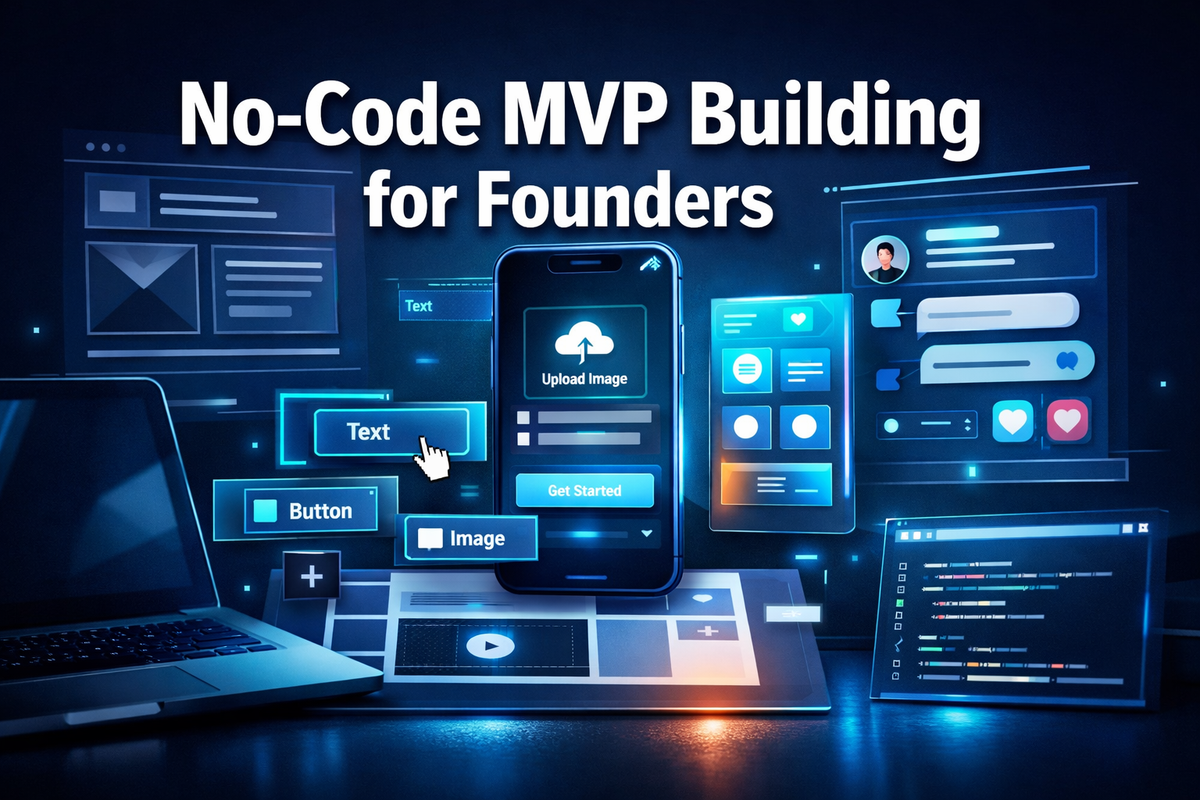
Over 84% of startups fail because they build products nobody wants — and most of those founders spent months (and thousands of dollars) writing code before talking to a single real customer. No-Code MVP Building for Founders flips that model entirely, letting entrepreneurs validate ideas, attract early users, and even generate revenue before writing a single line of code.
This guide breaks down exactly how to use no-code tools to build a Minimum Viable Product (MVP), which platforms to choose, and how to go from idea to launch in weeks — not months.
Key Takeaways 📌
- No-code MVPs dramatically reduce time-to-market — most founders launch in 2–6 weeks instead of 6–12 months.
- Cost savings are significant — no-code builds can cost 80–90% less than traditional development.
- Validation first, perfection later — the goal of an MVP is learning, not building a flawless product.
- The right tool depends on your product type — apps, marketplaces, SaaS tools, and landing pages each have ideal platforms.
- No-code is not a shortcut — it's a strategy — successful founders treat it as a serious business methodology.
What Is a No-Code MVP and Why Founders Are Choosing It
A Minimum Viable Product (MVP) is the simplest version of a product that delivers enough value to attract early adopters and generate feedback. A no-code MVP achieves this without traditional programming — using visual builders, drag-and-drop interfaces, and pre-built logic blocks instead.
The Business Case for No-Code MVP Building for Founders
💬 "The best way to get a product right is to get it wrong quickly and cheaply."
Here's why no-code has become the default choice for smart founders in 2026:
| Factor | Traditional Development | No-Code MVP |
|---|---|---|
| Time to Launch | 6–18 months | 2–6 weeks |
| Average Cost | $50,000–$250,000+ | $500–$5,000 |
| Technical Skill Required | High | Low to None |
| Iteration Speed | Slow (dev cycles) | Fast (real-time edits) |
| Validation Risk | Very High | Low |
The numbers speak clearly. For founders who want to test before they invest, no-code removes the biggest barrier: the need for a technical co-founder or a large development budget.
Who Benefits Most from No-Code MVPs?
- 🛍️ Solo founders building SaaS tools, marketplaces, or directories
- 💼 Consultants and service providers productizing their expertise
- 📱 App entrepreneurs testing mobile concepts without hiring iOS/Android developers
- 🌐 Content creators building paid communities or membership platforms
- 🚀 Side hustlers validating business ideas before quitting their day jobs
Choosing the Right No-Code Tools for Your MVP
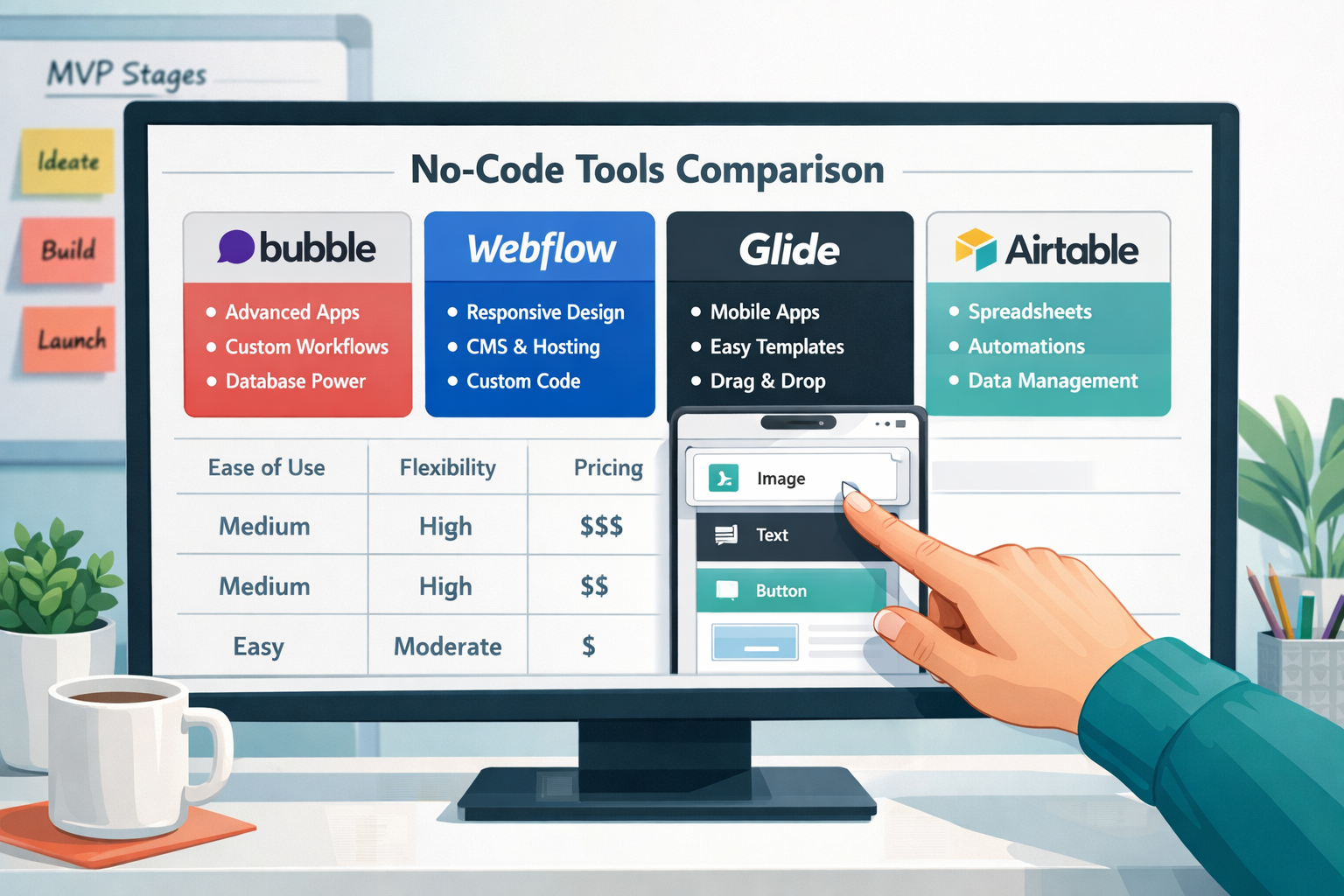
The no-code ecosystem has exploded. Picking the wrong tool wastes time and creates technical debt. Here's a practical breakdown:
Best No-Code Platforms by Product Type
🔷 Web Apps & SaaS Products
- Bubble — The most powerful no-code web app builder. Supports complex logic, databases, and user authentication. Ideal for SaaS MVPs.
- Glide — Turns spreadsheets into mobile apps in minutes. Perfect for internal tools or simple consumer apps.
🔷 Websites & Landing Pages
- Webflow — Professional-grade website builder with CMS capabilities. Best for content-driven products and marketing sites.
- Carrd — Ultra-simple one-page sites. Ideal for validating demand with a waitlist or pre-launch page.
🔷 Marketplaces & Directories
- Sharetribe — Purpose-built for two-sided marketplaces. Handles listings, payments, and user profiles out of the box.
- Softr — Converts Airtable databases into polished web apps and directories.
🔷 Automation & Backend Logic
- Make (formerly Integromat) or Zapier — Connect apps, automate workflows, and simulate backend processes without code.
- Airtable — A hybrid spreadsheet-database that powers the backend of countless no-code MVPs.
🔷 Membership & Community Platforms
- Circle — Build paid communities with courses, events, and discussion boards.
- Memberstack — Add memberships and paywalls to any Webflow site.
🔑 Pro Tip: The "Stack" Approach
Most successful no-code MVPs combine 2–3 tools. A common winning stack:
- Webflow (front-end) + Airtable (database) + Make (automation) + Stripe (payments)
A Step-by-Step Framework for No-Code MVP Building for Founders
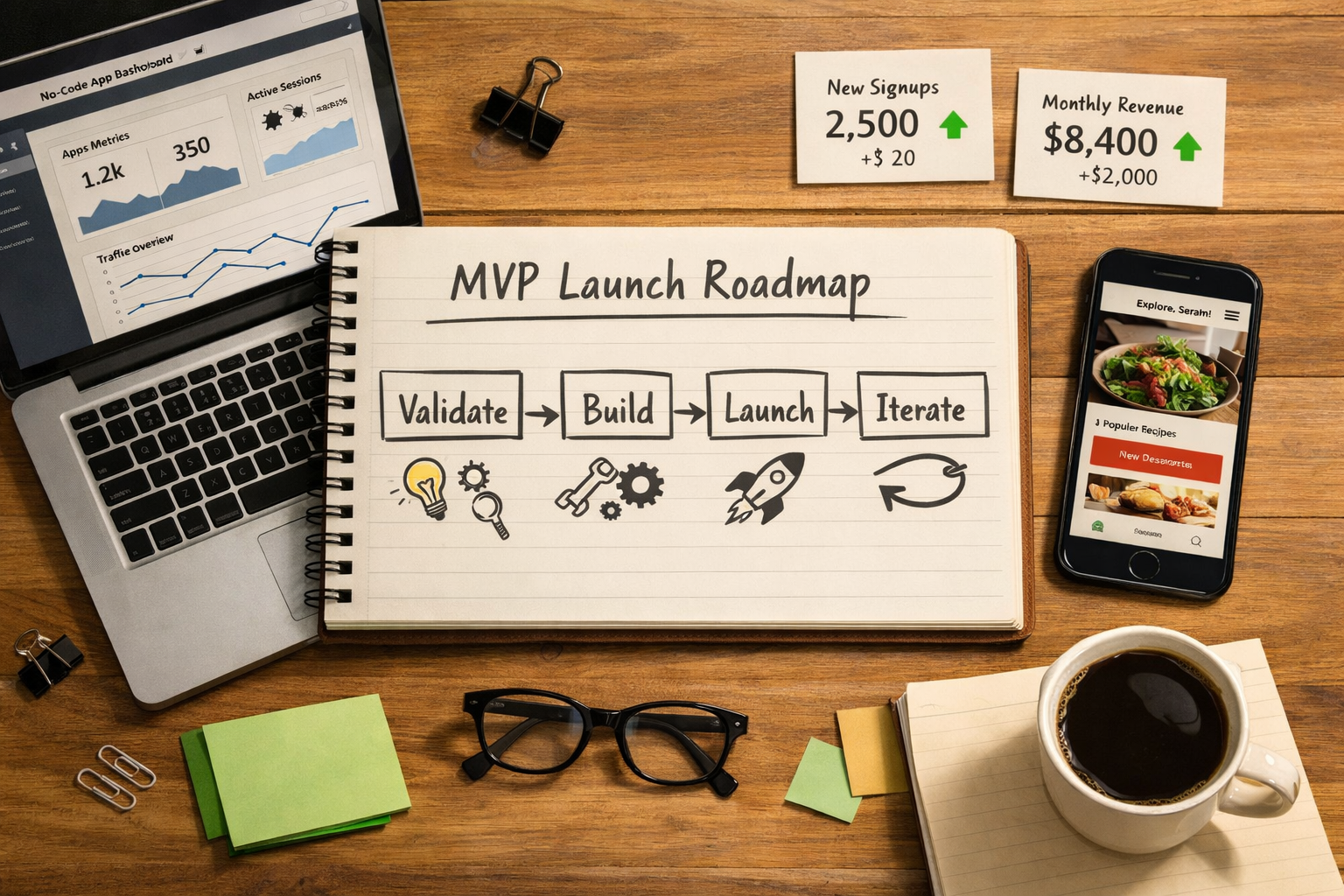
Building a no-code MVP isn't just about picking tools — it's about following a disciplined process. Here's a proven framework:
Step 1: Define the Core Problem (Week 1)
Before touching any tool, answer these three questions:
- What specific problem does this solve?
- Who experiences this problem most acutely?
- What's the simplest possible solution?
Write a one-sentence value proposition: "[Product] helps [target user] achieve [outcome] by [mechanism]."
Step 2: Map the Critical User Journey (Week 1)
Identify the one core action your MVP must enable. Everything else is a distraction.
- For a marketplace: User posts a listing → Buyer finds it → Transaction happens
- For a SaaS tool: User signs up → Completes key task → Gets result
- For a community: User joins → Engages with content → Returns
Build only what enables that journey. Nothing more.
Step 3: Build the MVP (Weeks 2–4)
Choose your tool stack based on the product type table above. During the build:
- ✅ Use templates to accelerate development
- ✅ Focus on the core user journey only
- ✅ Set up basic analytics (Google Analytics or Plausible)
- ✅ Add a simple feedback form (Typeform or Tally)
- ❌ Don't build features users haven't asked for
- ❌ Don't obsess over design perfection
Step 4: Launch to a Small Audience (Week 4–5)
Don't wait for "ready." Launch to 10–50 users through:
- Personal network outreach
- Reddit communities relevant to your niche
- Product Hunt or Indie Hackers
- LinkedIn posts targeting your ideal customer
Step 5: Measure, Learn, Iterate (Ongoing)
Track these three core MVP metrics:
| Metric | What It Tells You |
|---|---|
| Activation Rate | Are users completing the core action? |
| Retention Rate | Are users coming back? |
| Willingness to Pay | Will users pay for this? |
If activation is low, the UX needs work. If retention is low, the core value isn't landing. If nobody pays, the problem may not be painful enough.
Common Mistakes Founders Make with No-Code MVPs
Even with the right tools, founders trip over the same obstacles:
❌ Over-building the MVP Adding features before validating the core creates complexity and delays learning. Keep it ruthlessly simple.
❌ Skipping the "Minimum" Part An MVP is not a beta product. It's an experiment. The goal is a specific answer to a specific question.
❌ Choosing the Wrong Tool for Scale Some no-code tools hit hard limits at scale. Understand the ceiling of your chosen platform before committing. Bubble, for example, handles significant scale — Carrd does not.
❌ Ignoring Monetization from Day One Even a $1 transaction validates demand far better than 1,000 free signups. Integrate Stripe early and test willingness to pay immediately.
❌ Building in Isolation The fastest-learning founders talk to users every single week during the MVP phase. Schedule user interviews before the product is even built.
Interactive Tool: No-Code MVP Platform Selector
Use the interactive tool below to find the best no-code platform for your specific MVP type:
<!DOCTYPE html>
<html lang="en">
<head>
  <meta charset="UTF-8" />
  <meta name="viewport" content="width=device-width, initial-scale=1.0"/>
  <title>No-Code MVP Platform Selector</title>
  <style>
    * { box-sizing: border-box; margin: 0; padding: 0; }
    body {
      font-family: 'Segoe UI', Arial, sans-serif;
      background: #f0f4f8;
      min-height: 100vh;
      display: flex;
      align-items: center;
      justify-content: center;
      padding: 20px;
    }
    .cg-element-wrapper {
      background: #ffffff;
      border-radius: 16px;
      box-shadow: 0 4px 24px rgba(0,0,0,0.10);
      max-width: 680px;
      width: 100%;
      padding: 36px 32px 32px;
    }
    .cg-element-title {
      font-size: 1.45rem;
      font-weight: 700;
      color: #1a2340;
      margin-bottom: 6px;
      text-align: center;
    }
    .cg-element-subtitle {
      font-size: 0.97rem;
      color: #5a6a85;
      text-align: center;
      margin-bottom: 28px;
    }
    .cg-element-step { display: none; }
    .cg-element-step.cg-active { display: block; }
    .cg-element-question {
      font-size: 1.08rem;
      font-weight: 600;
      color: #1a2340;
      margin-bottom: 18px;
    }
    .cg-element-options {
      display: flex;
      flex-direction: column;
      gap: 12px;
    }
    .cg-element-option-btn {
      background: #f0f4f8;
      border: 2px solid #dde3ee;
      border-radius: 10px;
      padding: 14px 18px;
      font-size: 0.97rem;
      color: #1a2340;
      cursor: pointer;
      text-align: left;
      transition: all 0.18s ease;
      font-weight: 500;
    }
    .cg-element-option-btn:hover {
      background: #e0f0ff;
      border-color: #3b82f6;
      color: #1d4ed8;
    }
    .cg-element-option-btn.cg-selected {
      background: #dbeafe;
      border-color: #2563eb;
      color: #1d4ed8;
    }
    .cg-element-nav {
      display: flex;
      justify-content: space-between;
      margin-top: 22px;
      gap: 10px;
    }
    .cg-element-btn {
      padding: 11px 26px;
      border-radius: 8px;
      font-size: 0.97rem;
      font-weight: 600;
      cursor: pointer;
      border: none;
      transition: background 0.18s;
    }
    .cg-element-btn-back {
      background: #e5e7eb;
      color: #374151;
    }
    .cg-element-btn-back:hover { background: #d1d5db; }
    .cg-element-btn-next {
      background: #2563eb;
      color: #fff;
      margin-left: auto;
    }
    .cg-element-btn-next:hover { background: #1d4ed8; }
    .cg-element-btn-next:disabled {
      background: #93c5fd;
      cursor: not-allowed;
    }
    .cg-element-progress {
      display: flex;
      gap: 8px;
      justify-content: center;
      margin-bottom: 24px;
    }
    .cg-element-dot {
      width: 10px; height: 10px;
      border-radius: 50%;
      background: #dde3ee;
      transition: background 0.2s;
    }
    .cg-element-dot.cg-done { background: #2563eb; }
    .cg-element-result {
      display: none;
      animation: cgFadeIn 0.4s ease;
    }
    .cg-element-result.cg-active { display: block; }
    @keyframes cgFadeIn { from { opacity: 0; transform: translateY(10px); } to { opacity: 1; transform: translateY(0); } }
    .cg-element-result-title {
      font-size: 1.15rem;
      font-weight: 700;
      color: #1a2340;
      margin-bottom: 14px;
      text-align: center;
    }
    .cg-element-tool-card {
      background: linear-gradient(135deg, #eff6ff 0%, #e0f2fe 100%);
      border: 2px solid #bfdbfe;
      border-radius: 12px;
      padding: 20px 22px;
      margin-bottom: 14px;
    }
    .cg-element-tool-name {
      font-size: 1.18rem;
      font-weight: 700;
      color: #1d4ed8;
      margin-bottom: 4px;
    }
    .cg-element-tool-desc {
      font-size: 0.95rem;
      color: #374151;
      margin-bottom: 8px;
    }
    .cg-element-tool-tags {
      display: flex;
      flex-wrap: wrap;
      gap: 7px;
    }
    .cg-element-tag {
      background: #dbeafe;
      color: #1d4ed8;
      border-radius: 20px;
      padding: 3px 12px;
      font-size: 0.82rem;
      font-weight: 600;
    }
    .cg-element-restart-btn {
      display: block;
      margin: 18px auto 0;
      background: #f0f4f8;
      border: 2px solid #dde3ee;
      border-radius: 8px;
      padding: 10px 28px;
      font-size: 0.97rem;
      font-weight: 600;
      color: #374151;
      cursor: pointer;
      transition: background 0.18s;
    }
    .cg-element-restart-btn:hover { background: #e0f0ff; border-color: #3b82f6; color: #1d4ed8; }
    @media (max-width: 500px) {
      .cg-element-wrapper { padding: 22px 14px 20px; }
      .cg-element-title { font-size: 1.15rem; }
    }
  </style>
</head>
<body>
  <div class="cg-element-wrapper">
    <div class="cg-element-title">🚀 No-Code MVP Platform Selector</div>
    <div class="cg-element-subtitle">Answer 3 quick questions to find your ideal no-code tool stack.</div>
    <div class="cg-element-progress" id="cgProgress"></div>

    <!-- Step 1 -->
    <div class="cg-element-step cg-active" id="cgStep0">
      <div class="cg-element-question">1. What type of product are you building?</div>
      <div class="cg-element-options">
        <button class="cg-element-option-btn" data-step="0" data-val="saas">💻 SaaS / Web Application</button>
        <button class="cg-element-option-btn" data-step="0" data-val="marketplace">🛒 Marketplace or Directory</button>
        <button class="cg-element-option-btn" data-step="0" data-val="landing">📄 Landing Page / Waitlist</button>
        <button class="cg-element-option-btn" data-step="0" data-val="community">👥 Community or Membership</button>
        <button class="cg-element-option-btn" data-step="0" data-val="mobile">📱 Mobile App</button>
      </div>
      <div class="cg-element-nav">
        <button class="cg-element-btn cg-element-btn-next" id="cgNext0" disabled onclick="cgNext(0)">Next →</button>
      </div>
    </div>

    <!-- Step 2 -->
    <div class="cg-element-step" id="cgStep1">
      <div class="cg-element-question">2. What is your technical skill level?</div>
      <div class="cg-element-options">
        <button class="cg-element-option-btn" data-step="1" data-val="none">🟢 Complete Beginner — no tech background</button>
        <button class="cg-element-option-btn" data-step="1" data-val="some">🟡 Some Tech — comfortable with spreadsheets and web tools</button>
        <button class="cg-element-option-btn" data-step="1" data-val="advanced">🔵 Advanced — can follow technical tutorials and logic</button>
      </div>
      <div class="cg-element-nav">
        <button class="cg-element-btn cg-element-btn-back" onclick="cgBack(1)">← Back</button>
        <button class="cg-element-btn cg-element-btn-next" id="cgNext1" disabled onclick="cgNext(1)">Next →</button>
      </div>
    </div>

    <!-- Step 3 -->
    <div class="cg-element-step" id="cgStep2">
      <div class="cg-element-question">3. What is your budget for tools (monthly)?</div>
      <div class="cg-element-options">
        <button class="cg-element-option-btn" data-step="2" data-val="free">💸 Free / Under $30/month</button>
        <button class="cg-element-option-btn" data-step="2" data-val="mid">💳 $30–$100/month</button>
        <button class="cg-element-option-btn" data-step="2" data-val="high">🏦 $100+/month — serious about scaling</button>
      </div>
      <div class="cg-element-nav">
        <button class="cg-element-btn cg-element-btn-back" onclick="cgBack(2)">← Back</button>
        <button class="cg-element-btn cg-element-btn-next" id="cgNext2" disabled onclick="cgShowResult()">See My Stack →</button>
      </div>
    </div>

    <!-- Result -->
    <div class="cg-element-result" id="cgResult">
      <div class="cg-element-result-title">✅ Your Recommended No-Code Stack</div>
      <div id="cgResultContent"></div>
      <button class="cg-element-restart-btn" onclick="cgRestart()">🔄 Start Over</button>
    </div>
  </div>

  <script>
    const cgAnswers = {};
    const cgTotalSteps = 3;

    function cgRenderProgress(current) {
      const prog = document.getElementById('cgProgress');
      prog.innerHTML = '';
      for (let i = 0; i < cgTotalSteps; i++) {
        const dot = document.createElement('div');
        dot.className = 'cg-element-dot' + (i <= current ? ' cg-done' : '');
        prog.appendChild(dot);
      }
    }

    cgRenderProgress(-1);

    document.querySelectorAll('.cg-element-option-btn').forEach(btn => {
      btn.addEventListener('click', function() {
        const step = parseInt(this.getAttribute('data-step'));
        const val = this.getAttribute('data-val');
        cgAnswers[step] = val;
        document.querySelectorAll(`.cg-element-option-btn[data-step="${step}"]`).forEach(b => b.classList.remove('cg-selected'));
        this.classList.add('cg-selected');
        const nextBtn = document.getElementById('cgNext' + step);
        if (nextBtn) nextBtn.disabled = false;
      });
    });

    function cgNext(step) {
      if (!cgAnswers[step]) return;
      document.getElementById('cgStep' + step).classList.remove('cg-active');
      document.getElementById('cgStep' + (step + 1)).classList.add('cg-active');
      cgRenderProgress(step);
    }

    function cgBack(step) {
      document.getElementById('cgStep' + step).classList.remove('cg-active');
      document.getElementById('cgStep' + (step - 1)).classList.add('cg-active');
      cgRenderProgress(step - 2);
    }

    function cgShowResult() {
      if (!cgAnswers[2]) return;
      const type = cgAnswers[0];
      const skill = cgAnswers[1];
      const budget = cgAnswers[2];

      const stacks = {
        saas: {
          none: { name: "Glide + Airtable + Zapier", desc: "Build a simple data-driven app from a spreadsheet. No coding needed — ideal for internal tools or simple consumer apps.", tags: ["Beginner-Friendly", "Fast Launch", "Mobile-Ready"] },
          some: { name: "Bubble + Airtable + Stripe", desc: "Bubble's visual builder handles complex logic and user auth. Airtable manages your data. Stripe handles payments from day one.", tags: ["SaaS-Ready", "User Auth", "Scalable"] },
          advanced: { name: "Bubble + Make + Stripe + Crisp", desc: "Full-featured SaaS stack. Make automates complex workflows. Crisp adds live chat for user support. Highly scalable for serious MVPs.", tags: ["Full-Stack", "Automation", "Growth-Ready"] }
        },
        marketplace: {
          none: { name: "Sharetribe Go + Stripe", desc: "Purpose-built for marketplaces. Handles listings, search, user profiles, and payments with zero code required.", tags: ["Marketplace-Native", "Payments Included", "Fast Setup"] },
          some: { name: "Softr + Airtable + Stripe", desc: "Turn an Airtable database into a polished marketplace or directory. Add Stripe for paid listings or transactions.", tags: ["Directory-Ready", "Flexible", "Low Cost"] },
          advanced: { name: "Sharetribe Flex + Make + Stripe", desc: "Customizable marketplace infrastructure with automated workflows. Best for two-sided platforms needing custom logic.", tags: ["Custom Logic", "Two-Sided", "Scalable"] }
        },
        landing: {
          none: { name: "Carrd + Mailchimp", desc: "Build a stunning one-page site in under an hour. Capture emails with Mailchimp to validate demand before building anything.", tags: ["Ultra-Simple", "Free Tier", "Email Capture"] },
          some: { name: "Webflow + ConvertKit + Tally", desc: "Professional landing page with email automation and a feedback form. Perfect for pre-launch validation and waitlist building.", tags: ["Professional Design", "Email Automation", "Analytics"] },
          advanced: { name: "Webflow + Memberstack + Stripe", desc: "Add gated content, paid tiers, and a full membership layer to a Webflow site. Ideal for content-driven product validation.", tags: ["Membership-Ready", "Monetization", "CMS"] }
        },
        community: {
          none: { name: "Circle + Stripe", desc: "Launch a paid community with courses, events, and discussion boards. No technical setup required — go live in a day.", tags: ["Community-Native", "Courses", "Easy Setup"] },
          some: { name: "Webflow + Memberstack + Circle", desc: "Combine a polished marketing site with a gated community. Memberstack handles access control, Circle handles community features.", tags: ["Hybrid Model", "Access Control", "Branded"] },
          advanced: { name: "Webflow + Memberstack + Notion + Zapier", desc: "Build a premium knowledge community with automated onboarding, gated Notion content, and a branded Webflow front-end.", tags: ["Premium Feel", "Automated", "Scalable"] }
        },
        mobile: {
          none: { name: "Glide + Airtable", desc: "Turn a Google Sheet or Airtable base into a mobile app in minutes. Best for simple tools, directories, or internal apps.", tags: ["Mobile-First", "Spreadsheet-Powered", "Fast"] },
          some: { name: "Adalo + Stripe", desc: "Drag-and-drop mobile app builder with native components. Add Stripe for in-app purchases. iOS and Android ready.", tags: ["Native Components", "iOS & Android", "Payments"] },
          advanced: { name: "Bubble (Mobile PWA) + Make + Stripe", desc: "Build a Progressive Web App with Bubble that behaves like a native app. Make handles complex backend automation.", tags: ["PWA", "Complex Logic", "Full-Featured"] }
        }
      };

      const result = stacks[type] ? (stacks[type][skill] || stacks[type]['some']) : stacks['saas']['some'];

      document.getElementById('cgStep2').classList.remove('cg-active');
      const resultEl = document.getElementById('cgResult');
      resultEl.classList.add('cg-active');
      cgRenderProgress(cgTotalSteps);

      const tagsHTML = result.tags.map(t => `<span class="cg-element-tag">${t}</span>`).join('');
      document.getElementById('cgResultContent').innerHTML = `
        <div class="cg-element-tool-card">
          <div class="cg-element-tool-name">🛠️ ${result.name}</div>
          <div class="cg-element-tool-desc">${result.desc}</div>
          <div class="cg-element-tool-tags">${tagsHTML}</div>
        </div>
        <p style="font-size:0.92rem;color:#5a6a85;text-align:center;">Based on your answers: <strong>${['SaaS','Marketplace','Landing Page','Community','Mobile App'][['saas','marketplace','landing','community','mobile'].indexOf(type)]}</strong> · <strong>${['Beginner','Intermediate','Advanced'][['none','some','advanced'].indexOf(skill)]}</strong> · <strong>${['Low Budget','Mid Budget','High Budget'][['free','mid','high'].indexOf(budget)]}</strong></p>
      `;
    }

    function cgRestart() {
      Object.keys(cgAnswers).forEach(k => delete cgAnswers[k]);
      document.querySelectorAll('.cg-element-option-btn').forEach(b => b.classList.remove('cg-selected'));
      ['cgNext0','cgNext1','cgNext2'].forEach(id => { const el = document.getElementById(id); if(el) el.disabled = true; });
      document.getElementById('cgResult').classList.remove('cg-active');
      document.getElementById('cgStep0').classList.add('cg-active');
      cgRenderProgress(-1);
    }
  </script>
</body>
</html>
Conclusion: Your No-Code MVP Action Plan
No-Code MVP Building for Founders is no longer a workaround — it's the smartest first move a founder can make in 2026. The tools are mature, the community is massive, and the cost of not validating an idea has never been higher.
Here are the concrete next steps to take this week:
- ✅ Write your one-sentence value proposition — who it's for, what it does, and why it matters.
- ✅ Map the single core user journey — the one action your MVP must enable.
- ✅ Use the Platform Selector above to identify your tool stack.
- ✅ Set a 4-week launch deadline — and treat it as non-negotiable.
- ✅ Schedule 5 user conversations before building — validate the problem before building the solution.
- ✅ Add Stripe from day one — even a $1 charge proves real demand.
The founders who win are not the ones who build the most — they're the ones who learn the fastest. No-code gives every founder that edge.
References
- Eisenmann, T. (2021). Why Startups Fail: A New Roadmap for Entrepreneurial Success. Currency.
- Ries, E. (2011). The Lean Startup. Crown Business.
- CB Insights. (2021). The Top 12 Reasons Startups Fail. CB Insights Research.
- Marmer, M., et al. (2012). Startup Genome Report Extra on Premature Scaling. Startup Genome.
- Nocodehq.com. (2023). State of No-Code Report 2023. NoCode HQ.
Tags: no-code MVP, MVP building, no-code tools, startup validation, Bubble no-code, founder tools, lean startup, no-code platforms, MVP launch strategy, entrepreneurship, SaaS MVP, Webflow Airtable stack