Email Marketing Flows for Shopify Brands

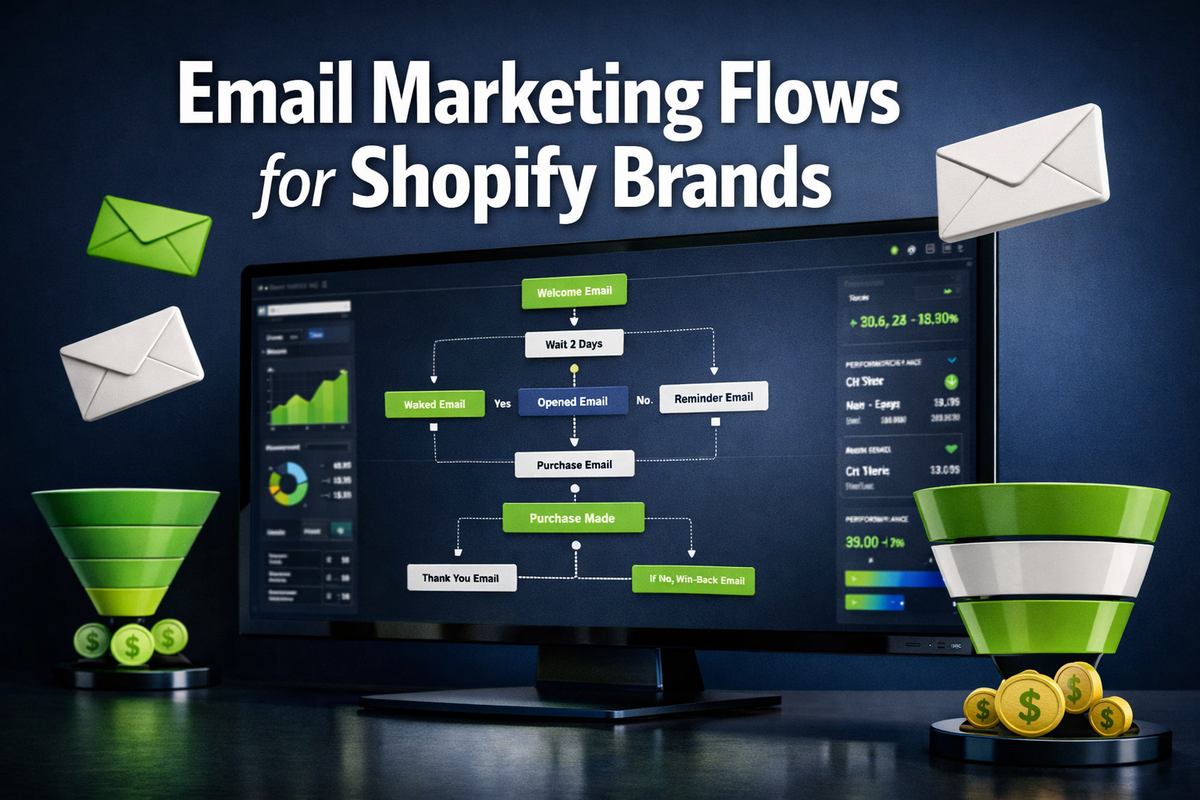
Automated email flows generate 320% more revenue per email sent than broadcast campaigns — yet most Shopify store owners still rely on one-off newsletters and wonder why their email list isn't converting. Email Marketing Flows for Shopify Brands represent the single highest-ROI lever available to ecommerce operators today, and the brands winning in 2026 have mastered the art of sending the right message at the right moment without lifting a finger.
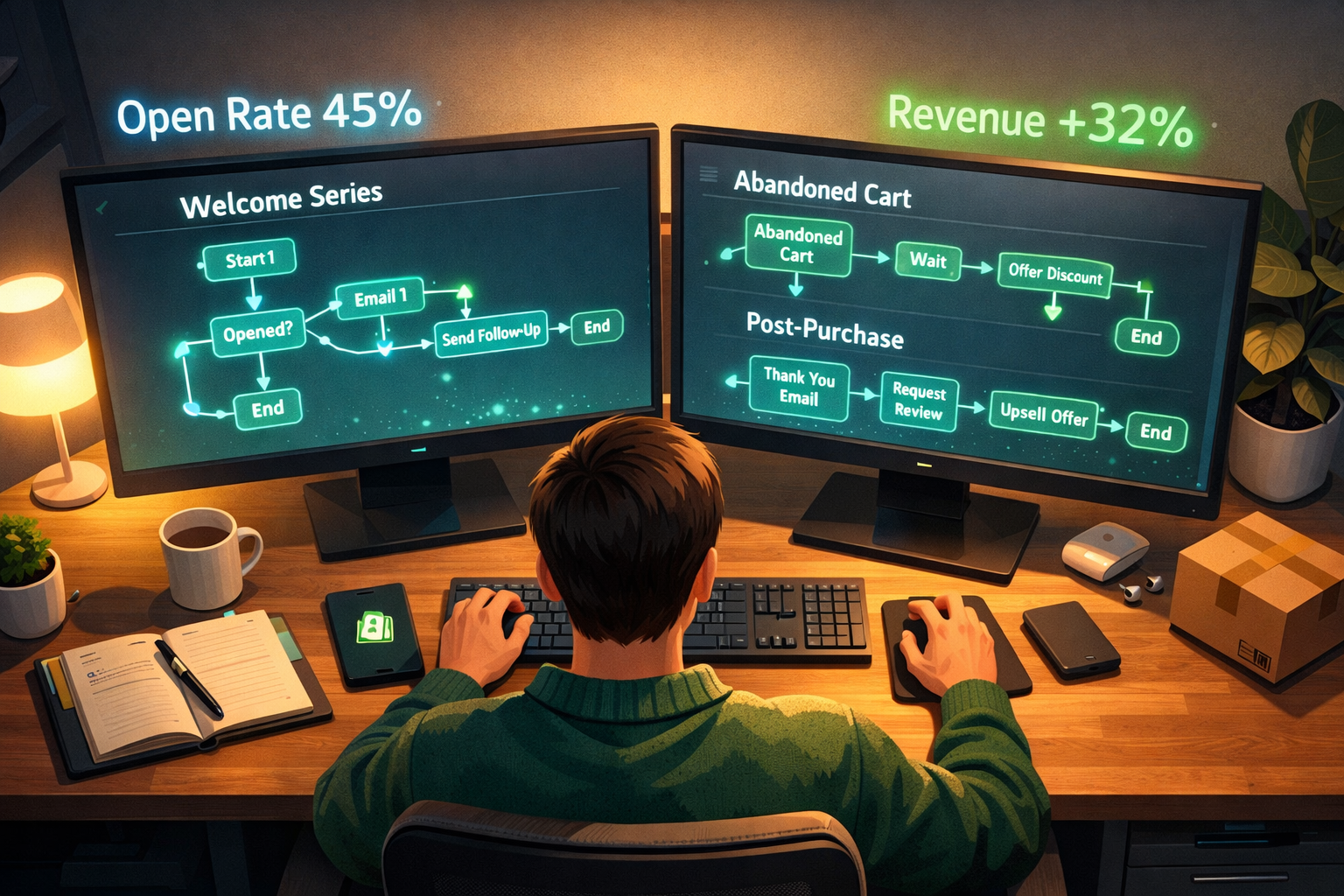
Key Takeaways 📌
- Automated flows outperform broadcast emails by 3x in revenue per send
- Five core flows — Welcome, Abandoned Cart, Browse Abandonment, Post-Purchase, and Win-Back — form the foundation of any high-performing Shopify email strategy
- Segmentation and personalization dramatically improve open rates and click-through rates
- Platform choice matters: Klaviyo, Omnisend, and Drip each offer unique advantages for Shopify integration
- Continuous testing of subject lines, timing, and offers separates good flows from great ones
Why Email Marketing Flows for Shopify Brands Are Non-Negotiable
Every day a Shopify brand operates without automated email flows, it leaks revenue. A visitor browses a product page and leaves — gone forever without a browse abandonment flow. A customer adds to cart but hesitates — lost without an abandoned cart sequence. A first-time buyer receives nothing after purchase — a repeat customer never born.
💡 Pull Quote: "Email marketing delivers an average ROI of $36 for every $1 spent — flows amplify that return by automating high-intent touchpoints 24/7."
What Makes a Flow Different From a Newsletter?
| Feature | Broadcast Newsletter | Automated Flow |
|---|---|---|
| Trigger | Manual send date | Subscriber behavior |
| Timing | One-size-fits-all | Personalized to action |
| Relevance | General audience | Specific intent segment |
| Revenue/Email | Lower | Up to 3-5x higher |
| Effort after setup | High (recurring) | Low (runs automatically) |
Flows are behavior-triggered sequences. They fire when a subscriber does something — joins a list, abandons a cart, makes a purchase, or goes silent. That context makes every email dramatically more relevant.
The 5 Essential Email Marketing Flows for Shopify Brands
1. 🎉 Welcome Series (Days 0–7)
The welcome series is the most opened email sequence a brand will ever send. Average open rates exceed 50% for welcome emails, making this the most valuable real estate in email marketing.
Recommended structure:
- Email 1 (Immediate): Deliver the lead magnet or discount, introduce the brand story
- Email 2 (Day 2): Highlight bestsellers and social proof
- Email 3 (Day 4): Address common objections, share UGC or reviews
- Email 4 (Day 7): Urgency email — expiring offer or "last chance" hook
Pro tip: Gate the discount code in Email 2, not Email 1. This forces subscribers to open a second email, training inbox algorithms that your emails are worth reading.
2. 🛒 Abandoned Cart Flow (The Revenue Recovery Engine)
Abandoned cart flows recover between 5–15% of lost carts depending on offer strength and timing. For a store doing $50,000/month, that's potentially $2,500–$7,500 in recovered revenue on autopilot.
Optimal timing sequence:
- 1 hour after abandonment — Reminder, no discount yet
- 24 hours after — Social proof + urgency ("Only 3 left in stock")
- 72 hours after — Final offer with incentive (free shipping or 10% off)
⚠️ Don't lead with a discount. Many brands train customers to abandon carts intentionally to wait for the coupon. Use social proof and scarcity first.
3. 👀 Browse Abandonment Flow
Visitors who view a product page but don't add to cart are still high-intent. A browse abandonment flow captures this micro-moment.
Best practices:
- Trigger after 2+ page views of the same product or category
- Send within 1–4 hours of the browsing session
- Include the specific product viewed with a dynamic image block
- Keep it short — one email is often enough
4. 📦 Post-Purchase Flow (Turning Buyers Into Loyalists)
Most Shopify brands stop communicating after the order confirmation. That's a massive missed opportunity. The post-purchase window is when trust is highest and customers are most receptive.
Post-purchase flow structure:
| Timing | Goal | |
|---|---|---|
| Order Confirmation | Immediate | Reassurance + upsell |
| Shipping Update | When shipped | Delight + anticipation |
| Product Education | Day 3–5 | Reduce returns, increase satisfaction |
| Review Request | Day 7–10 | Social proof generation |
| Cross-sell | Day 14–21 | Second purchase trigger |
| Loyalty Invite | Day 30 | Retention and LTV growth |
5. 🔄 Win-Back Flow (Reactivating Dormant Customers)
Customers who haven't purchased in 90–180 days need a dedicated reactivation sequence. Acquiring a new customer costs 5x more than retaining an existing one, making win-back flows pure profit optimization.
Win-back flow essentials:
- Email 1: "We miss you" — no offer, just brand reconnection
- Email 2: Showcase what's new since their last purchase
- Email 3: Exclusive returning-customer offer
- Email 4: Final "Are you still interested?" with list-cleaning intent
Choosing the Right Platform for Email Marketing Flows for Shopify Brands
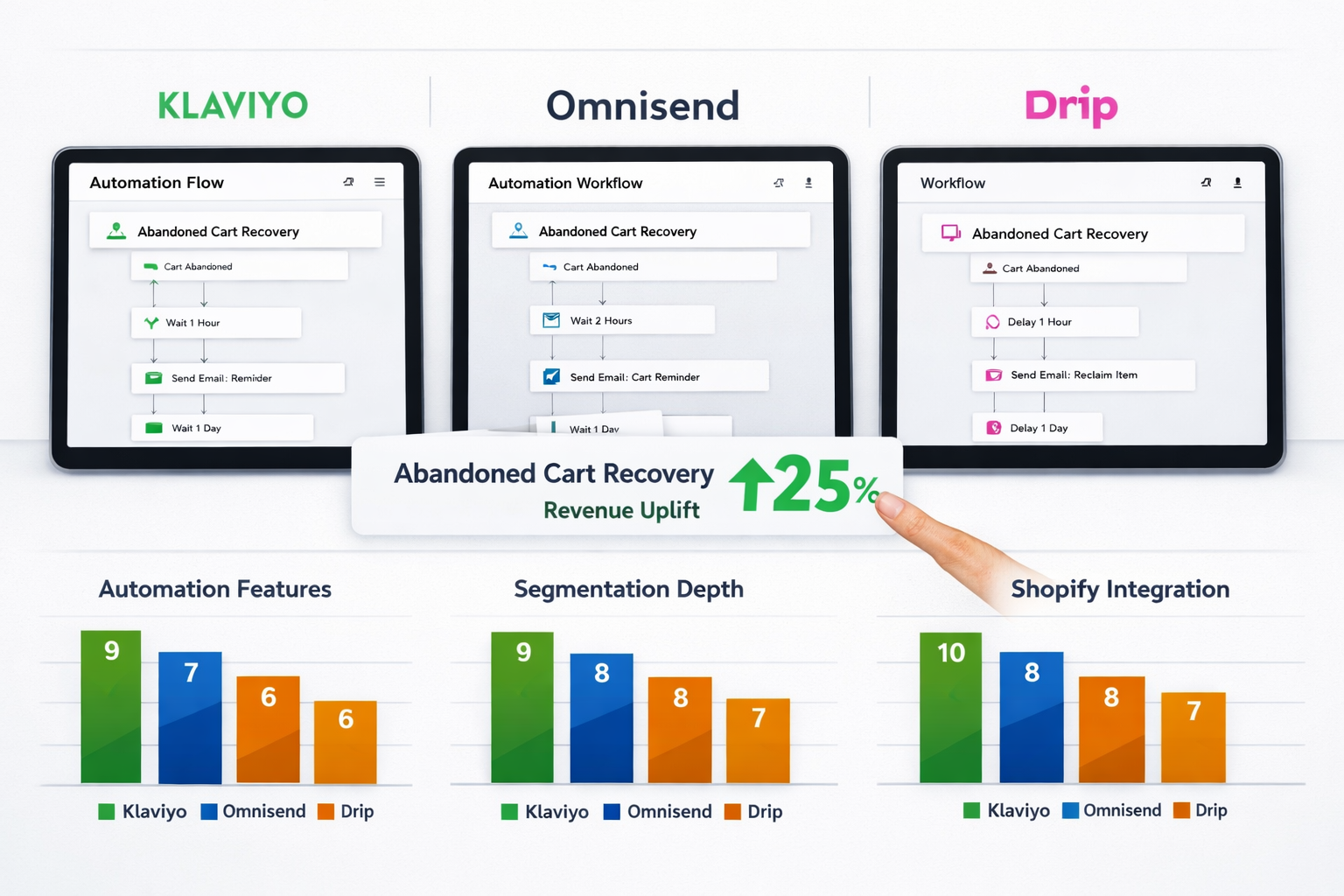
Platform selection shapes what's possible with Shopify email automation. Here's how the top three compare in 2026:
| Platform | Best For | Shopify Integration | Starting Price |
|---|---|---|---|
| Klaviyo | Data-rich segmentation, scaling brands | Native, deep sync | ~$45/mo (1,000 contacts) |
| Omnisend | Multi-channel (email + SMS + push) | Strong native app | ~$16/mo (500 contacts) |
| Drip | Visual workflow builder, boutique brands | Good API integration | ~$39/mo (2,500 contacts) |
Klaviyo remains the gold standard for serious Shopify brands due to its predictive analytics, granular segmentation, and direct revenue attribution. However, Omnisend offers exceptional value for brands wanting SMS + email in one platform.
Segmentation: The Multiplier for Every Flow
Even the best-designed flow underperforms without proper segmentation. Segmented email campaigns generate 760% more revenue than non-segmented sends, according to Campaign Monitor research.
Key segments to build for Shopify brands:
- 🏷️ VIP Customers — Top 10% by lifetime value
- 🆕 New Subscribers — Joined in last 30 days, no purchase
- 🔁 Repeat Buyers — 2+ orders, high retention potential
- 💤 Lapsed Customers — No purchase in 90+ days
- 🌍 Geographic Segments — For shipping promotions or regional offers
Testing and Optimization: What Separates Good Flows From Great Ones
Setting up flows is step one. Optimizing them is where the real money lives.
Variables to A/B test systematically:
- Subject lines — Emoji vs. no emoji, question vs. statement, length
- Send timing — Hour of day, day of week
- Offer type — Percentage off vs. dollar amount vs. free shipping
- Email length — Short punchy vs. long storytelling
- CTA copy — "Shop Now" vs. "Claim Your Discount" vs. "See What's New"
🔬 Rule of thumb: Test one variable at a time, run each test for a minimum of 1,000 sends before drawing conclusions.
Conclusion: Build Your Flows, Then Optimize Relentlessly
Email Marketing Flows for Shopify Brands are not a "nice to have" in 2026 — they are the backbone of sustainable ecommerce revenue. A properly built flow stack runs 24/7, recovers abandoned carts while you sleep, turns first-time buyers into loyal fans, and reactivates customers who had gone cold.
Actionable next steps:
- ✅ Audit your current flows — Which of the 5 core flows are missing?
- ✅ Choose your platform — Klaviyo for scaling brands, Omnisend for multi-channel needs
- ✅ Build the Welcome Series first — Highest open rates, fastest ROI
- ✅ Add Abandoned Cart within week two — Direct revenue recovery
- ✅ Set a monthly review cadence — Check open rates, click rates, and revenue per recipient
- ✅ Layer in segmentation — Start with VIP and New Subscriber segments
The brands that win the next five years of ecommerce won't just have great products. They'll have email systems that convert, retain, and compound — automatically.
Interactive Tool: Email Flow Priority Calculator
<!DOCTYPE html>
<html lang="en">
<head>
  <meta charset="UTF-8" />
  <meta name="viewport" content="width=device-width, initial-scale=1.0"/>
  <title>Shopify Email Flow Priority Calculator</title>
  <style>
    * {
      box-sizing: border-box;
      margin: 0;
      padding: 0;
    }
    body {
      font-family: -apple-system, BlinkMacSystemFont, 'Segoe UI', Roboto, sans-serif;
      background: #f0f4f8;
      padding: 20px;
      color: #1a202c;
    }
    .cg-element-wrapper {
      max-width: 680px;
      margin: 0 auto;
      background: #ffffff;
      border-radius: 16px;
      box-shadow: 0 4px 24px rgba(0,0,0,0.10);
      overflow: hidden;
    }
    .cg-element-header {
      background: linear-gradient(135deg, #1a365d 0%, #2d6a4f 100%);
      padding: 28px 32px;
      color: white;
    }
    .cg-element-header h2 {
      font-size: 1.4rem;
      font-weight: 700;
      margin-bottom: 6px;
    }
    .cg-element-header p {
      font-size: 0.9rem;
      opacity: 0.85;
    }
    .cg-element-body {
      padding: 28px 32px;
    }
    .cg-element-question {
      margin-bottom: 22px;
    }
    .cg-element-question label {
      display: block;
      font-weight: 600;
      font-size: 0.95rem;
      margin-bottom: 8px;
      color: #2d3748;
    }
    .cg-element-question select,
    .cg-element-question input[type="number"] {
      width: 100%;
      padding: 10px 14px;
      border: 2px solid #e2e8f0;
      border-radius: 8px;
      font-size: 0.95rem;
      color: #2d3748;
      background: #f7fafc;
      transition: border-color 0.2s;
      appearance: none;
    }
    .cg-element-question select:focus,
    .cg-element-question input[type="number"]:focus {
      outline: none;
      border-color: #48bb78;
      background: #fff;
    }
    .cg-element-btn {
      width: 100%;
      padding: 14px;
      background: linear-gradient(135deg, #48bb78, #2d6a4f);
      color: white;
      font-size: 1rem;
      font-weight: 700;
      border: none;
      border-radius: 10px;
      cursor: pointer;
      transition: opacity 0.2s, transform 0.1s;
      margin-top: 4px;
    }
    .cg-element-btn:hover {
      opacity: 0.92;
      transform: translateY(-1px);
    }
    .cg-element-results {
      display: none;
      margin-top: 28px;
      border-top: 2px solid #e2e8f0;
      padding-top: 24px;
    }
    .cg-element-results h3 {
      font-size: 1.1rem;
      font-weight: 700;
      color: #1a365d;
      margin-bottom: 16px;
    }
    .cg-element-flow-card {
      display: flex;
      align-items: flex-start;
      gap: 14px;
      background: #f7fafc;
      border-left: 4px solid #48bb78;
      border-radius: 8px;
      padding: 14px 16px;
      margin-bottom: 12px;
    }
    .cg-element-flow-card.cg-priority-high {
      border-left-color: #e53e3e;
      background: #fff5f5;
    }
    .cg-element-flow-card.cg-priority-medium {
      border-left-color: #ed8936;
      background: #fffaf0;
    }
    .cg-element-flow-card.cg-priority-low {
      border-left-color: #48bb78;
      background: #f0fff4;
    }
    .cg-element-flow-rank {
      font-size: 1.5rem;
      font-weight: 800;
      color: #2d3748;
      min-width: 32px;
    }
    .cg-element-flow-info h4 {
      font-size: 0.95rem;
      font-weight: 700;
      color: #1a202c;
      margin-bottom: 4px;
    }
    .cg-element-flow-info p {
      font-size: 0.83rem;
      color: #4a5568;
      line-height: 1.5;
    }
    .cg-element-badge {
      display: inline-block;
      font-size: 0.72rem;
      font-weight: 700;
      padding: 2px 8px;
      border-radius: 20px;
      margin-bottom: 5px;
      text-transform: uppercase;
      letter-spacing: 0.04em;
    }
    .cg-badge-high { background: #fed7d7; color: #c53030; }
    .cg-badge-medium { background: #feebc8; color: #c05621; }
    .cg-badge-low { background: #c6f6d5; color: #276749; }
    .cg-element-summary {
      background: linear-gradient(135deg, #ebf8ff, #e6fffa);
      border-radius: 10px;
      padding: 16px 18px;
      margin-bottom: 16px;
      font-size: 0.9rem;
      color: #2d3748;
      line-height: 1.6;
    }
    .cg-element-summary strong {
      color: #1a365d;
    }
    .cg-element-reset {
      background: none;
      border: 2px solid #cbd5e0;
      color: #4a5568;
      font-size: 0.85rem;
      font-weight: 600;
      padding: 8px 18px;
      border-radius: 8px;
      cursor: pointer;
      margin-top: 8px;
      transition: border-color 0.2s;
    }
    .cg-element-reset:hover {
      border-color: #48bb78;
      color: #2d6a4f;
    }
    @media (max-width: 480px) {
      .cg-element-header, .cg-element-body { padding: 20px 18px; }
      .cg-element-header h2 { font-size: 1.15rem; }
    }
  </style>
</head>
<body>
  <div class="cg-element-wrapper">
    <div class="cg-element-header">
      <h2>📧 Shopify Email Flow Priority Calculator</h2>
      <p>Answer 4 quick questions to discover which email flows to build first for your store.</p>
    </div>
    <div class="cg-element-body">
      <div class="cg-element-question">
        <label for="cg-monthly-revenue">Monthly Store Revenue (USD)</label>
        <input type="number" id="cg-monthly-revenue" placeholder="e.g. 15000" min="0" />
      </div>
      <div class="cg-element-question">
        <label for="cg-stage">Store Stage</label>
        <select id="cg-stage">
          <option value="">— Select your stage —</option>
          <option value="new">New (0–6 months, under $5k/mo)</option>
          <option value="growing">Growing (6–24 months, $5k–$50k/mo)</option>
          <option value="scaling">Scaling ($50k+/mo, established brand)</option>
        </select>
      </div>
      <div class="cg-element-question">
        <label for="cg-biggest-problem">Biggest Current Challenge</label>
        <select id="cg-biggest-problem">
          <option value="">— Select your challenge —</option>
          <option value="cart">High cart abandonment rate</option>
          <option value="retention">Low repeat purchase rate</option>
          <option value="list">Growing email list but low conversions</option>
          <option value="churn">Customers going silent after first purchase</option>
        </select>
      </div>
      <div class="cg-element-question">
        <label for="cg-flows-live">How many flows do you currently have live?</label>
        <select id="cg-flows-live">
          <option value="">— Select —</option>
          <option value="0">None</option>
          <option value="1">1–2 flows</option>
          <option value="3">3–4 flows</option>
          <option value="5">5+ flows</option>
        </select>
      </div>
      <button class="cg-element-btn" onclick="cgCalculateFlows()">Calculate My Flow Priority →</button>
      <div class="cg-element-results" id="cg-results">
        <h3>🎯 Your Personalized Flow Roadmap</h3>
        <div class="cg-element-summary" id="cg-summary"></div>
        <div id="cg-flow-list"></div>
        <button class="cg-element-reset" onclick="cgReset()">↩ Start Over</button>
      </div>
    </div>
  </div>

  <script>
    function cgCalculateFlows() {
      var revenue = parseFloat(document.getElementById('cg-monthly-revenue').value) || 0;
      var stage = document.getElementById('cg-stage').value;
      var problem = document.getElementById('cg-biggest-problem').value;
      var flowsLive = document.getElementById('cg-flows-live').value;

      if (!stage || !problem || !flowsLive) {
        alert('Please answer all four questions to get your personalized roadmap.');
        return;
      }

      var allFlows = [
        {
          name: '🎉 Welcome Series',
          desc: 'Converts new subscribers into first-time buyers. Highest open rates of any flow — build this first regardless of store stage.',
          priority: 'high',
          score: 0
        },
        {
          name: '🛒 Abandoned Cart Flow',
          desc: 'Recovers 5–15% of lost carts automatically. Direct revenue recovery with fast ROI — typically pays back within the first week.',
          priority: 'high',
          score: 0
        },
        {
          name: '📦 Post-Purchase Flow',
          desc: 'Builds loyalty, generates reviews, and triggers repeat purchases. Critical for improving customer lifetime value (LTV).',
          priority: 'medium',
          score: 0
        },
        {
          name: '👀 Browse Abandonment Flow',
          desc: 'Captures high-intent visitors who viewed products but didn\'t add to cart. Works best once Welcome and Cart flows are live.',
          priority: 'medium',
          score: 0
        },
        {
          name: '🔄 Win-Back Flow',
          desc: 'Reactivates lapsed customers (90–180 days inactive). Cheaper than acquiring new customers — essential for scaling brands.',
          priority: 'low',
          score: 0
        }
      ];

      // Score based on problem
      if (problem === 'cart') {
        allFlows[1].score += 30; // Abandoned Cart
        allFlows[3].score += 15; // Browse Abandonment
      } else if (problem === 'retention') {
        allFlows[2].score += 30; // Post-Purchase
        allFlows[4].score += 20; // Win-Back
      } else if (problem === 'list') {
        allFlows[0].score += 30; // Welcome
        allFlows[1].score += 15; // Cart
      } else if (problem === 'churn') {
        allFlows[4].score += 30; // Win-Back
        allFlows[2].score += 20; // Post-Purchase
      }

      // Score based on stage
      if (stage === 'new') {
        allFlows[0].score += 25;
        allFlows[1].score += 20;
      } else if (stage === 'growing') {
        allFlows[1].score += 20;
        allFlows[2].score += 20;
        allFlows[3].score += 10;
      } else if (stage === 'scaling') {
        allFlows[3].score += 20;
        allFlows[4].score += 20;
        allFlows[2].score += 15;
      }

      // Score based on flows already live
      if (flowsLive === '0') {
        allFlows[0].score += 20;
        allFlows[1].score += 15;
      } else if (flowsLive === '1') {
        allFlows[1].score += 10;
        allFlows[2].score += 10;
      } else if (flowsLive === '3') {
        allFlows[3].score += 15;
        allFlows[4].score += 10;
      }

      // Base scores so all flows appear
      allFlows[0].score += 10;
      allFlows[1].score += 10;
      allFlows[2].score += 8;
      allFlows[3].score += 5;
      allFlows[4].score += 5;

      // Sort by score descending
      allFlows.sort(function(a, b) { return b.score - a.score; });

      // Assign priority labels
      allFlows[0].priority = 'high';
      allFlows[1].priority = 'high';
      allFlows[2].priority = 'medium';
      allFlows[3].priority = 'medium';
      allFlows[4].priority = 'low';

      // Estimated recovery
      var recoveryLow = Math.round(revenue * 0.05);
      var recoveryHigh = Math.round(revenue * 0.18);

      var summaryEl = document.getElementById('cg-summary');
      summaryEl.innerHTML = 'Based on your inputs, your store could recover an estimated <strong>$' + recoveryLow.toLocaleString() + '–$' + recoveryHigh.toLocaleString() + '/month</strong> in additional revenue by implementing all five core flows. Start with the <strong>' + allFlows[0].name + '</strong> for fastest impact.';

      var listEl = document.getElementById('cg-flow-list');
      listEl.innerHTML = '';

      allFlows.forEach(function(flow, index) {
        var badgeClass = 'cg-badge-' + flow.priority;
        var cardClass = 'cg-priority-' + flow.priority;
        var priorityLabel = flow.priority.charAt(0).toUpperCase() + flow.priority.slice(1) + ' Priority';
        var card = document.createElement('div');
        card.className = 'cg-element-flow-card ' + cardClass;
        card.innerHTML = '<div class="cg-element-flow-rank">' + (index + 1) + '</div>' +
          '<div class="cg-element-flow-info">' +
          '<span class="cg-element-badge ' + badgeClass + '">' + priorityLabel + '</span>' +
          '<h4>' + flow.name + '</h4>' +
          '<p>' + flow.desc + '</p>' +
          '</div>';
        listEl.appendChild(card);
      });

      var resultsEl = document.getElementById('cg-results');
      resultsEl.style.display = 'block';
      resultsEl.scrollIntoView({ behavior: 'smooth', block: 'nearest' });
    }

    function cgReset() {
      document.getElementById('cg-monthly-revenue').value = '';
      document.getElementById('cg-stage').value = '';
      document.getElementById('cg-biggest-problem').value = '';
      document.getElementById('cg-flows-live').value = '';
      document.getElementById('cg-results').style.display = 'none';
    }
  </script>
</body>
</html>
References
- Klaviyo. (2023). Email marketing benchmarks for ecommerce brands. Klaviyo Blog.
- Campaign Monitor. (2022). The ultimate email marketing benchmarks for 2022. Campaign Monitor Resources.
- Omnisend. (2023). Email, SMS & push notification marketing statistics. Omnisend Research.
- Baymard Institute. (2023). Cart abandonment rate statistics. Baymard Institute Research.
- Invesp. (2022). Customer acquisition vs. retention costs — statistics and trends. Invesp Blog.
Tags: email marketing flows, Shopify email automation, abandoned cart flow, Klaviyo Shopify, ecommerce email strategy, welcome series email, post-purchase flow, win-back email campaign, email segmentation, Omnisend, Shopify marketing, email ROI