
E-commerce CRO Audits (Conversion Fixes)

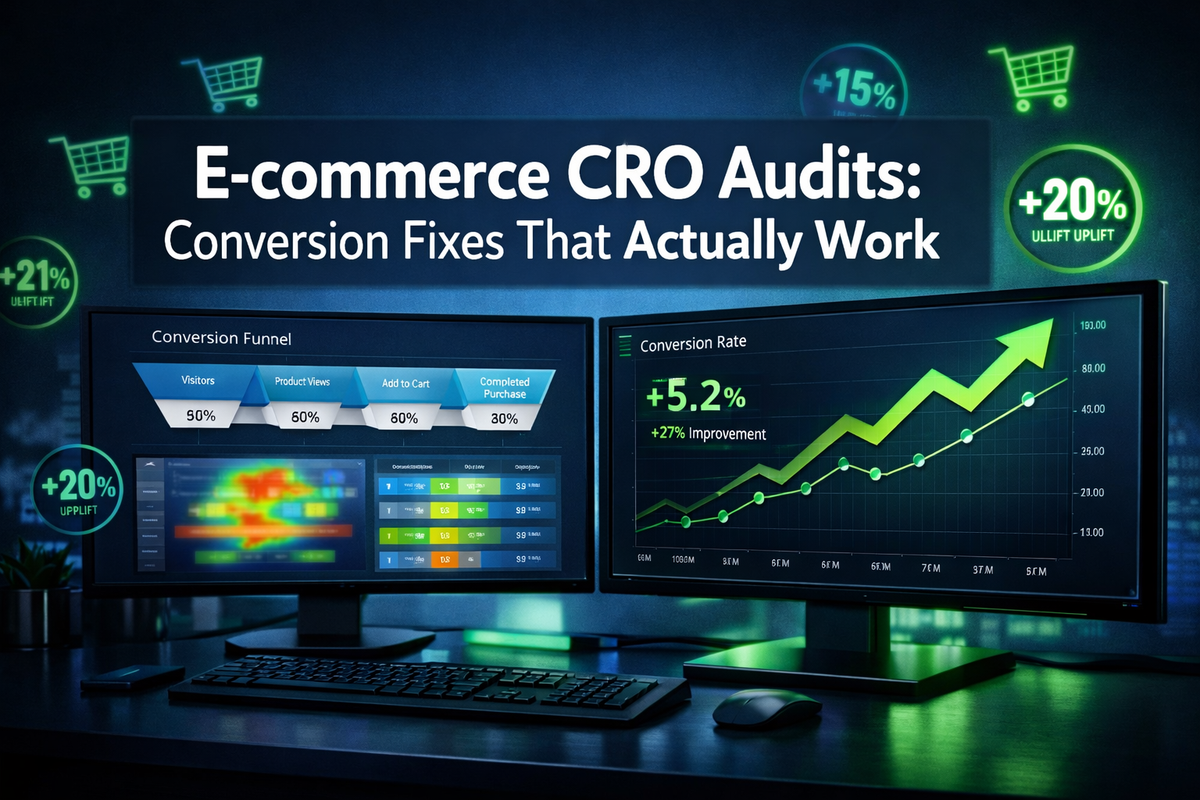
Only 2.5–3% of e-commerce visitors actually buy something — meaning roughly 97 out of every 100 people who land on a store leave without spending a dime. That gap between traffic and revenue is where fortunes are made or lost, and E-commerce CRO Audits (Conversion Fixes) are the systematic process that closes it.
Whether running a Shopify dropshipping store or a multi-million-dollar DTC brand, a structured conversion rate optimization audit reveals exactly where customers are leaking out of the funnel — and more importantly, how to plug those holes without spending another dollar on ads.
Key Takeaways 🎯
- CRO audits identify specific friction points that silently kill sales across product pages, cart flows, and checkout.
- Data-driven fixes — not guesswork — are what separate 1% converters from 5%+ converters.
- Even small conversion lifts (1–2%) can double or triple revenue without increasing ad spend.
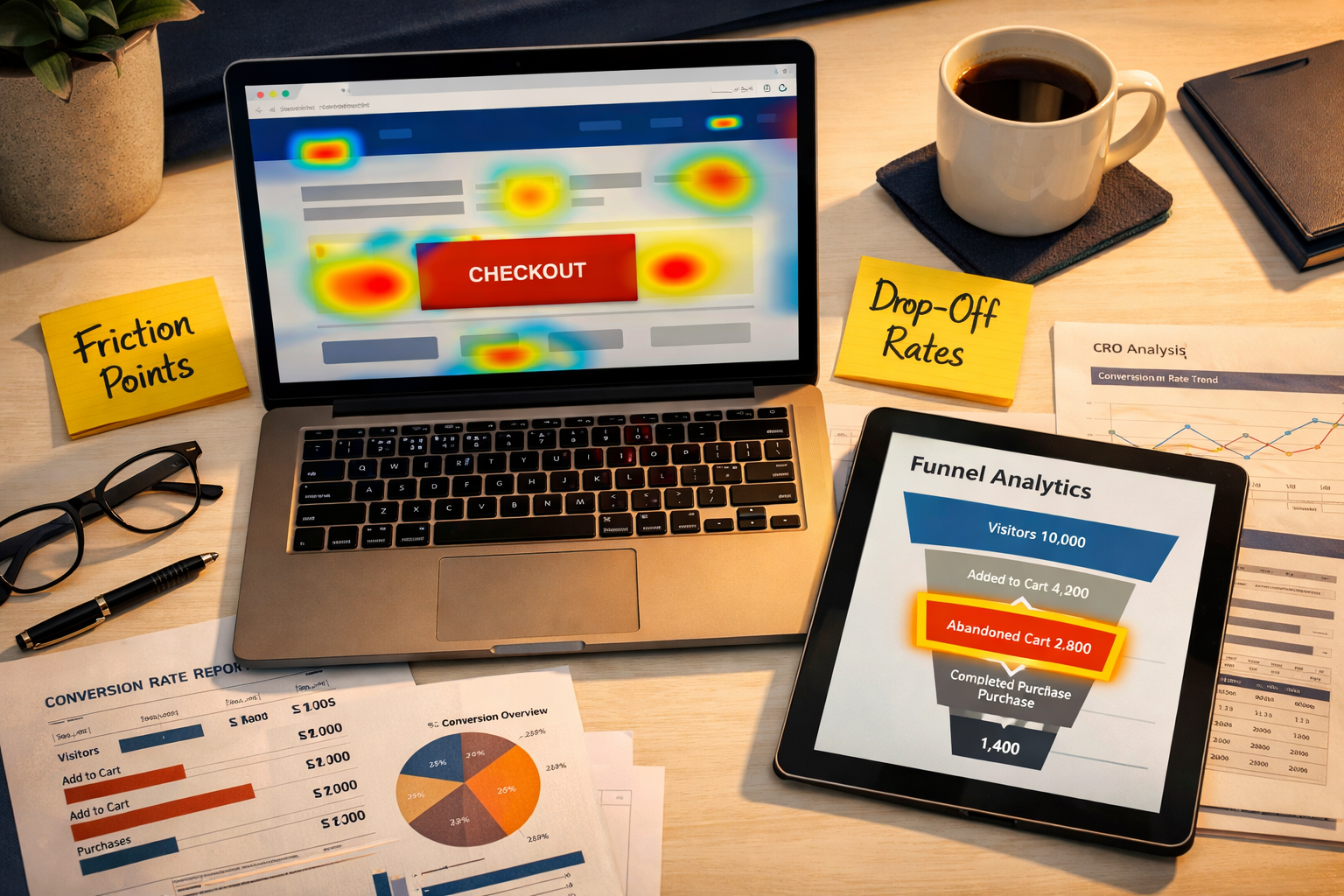
- Heatmaps, session recordings, and funnel analytics are the three core diagnostic tools every audit needs.
- A structured audit follows a repeatable framework: Discover → Diagnose → Fix → Test → Scale.
What Is an E-commerce CRO Audit and Why Does It Matter?
A Conversion Rate Optimization (CRO) audit is a structured evaluation of an online store's entire customer journey — from landing page to order confirmation — with the goal of identifying and fixing barriers that prevent visitors from converting.
Think of it as a health check for a store's revenue engine.
💡 Pull Quote: "Doubling your conversion rate is mathematically equivalent to doubling your traffic — but costs a fraction of the price."
The Real Cost of Ignoring Conversion Fixes
Here's a simple illustration of why this matters:
| Monthly Visitors | Current CVR | Orders | Revenue (Avg $75 order) |
|---|---|---|---|
| 10,000 | 1.5% | 150 | $11,250 |
| 10,000 | 3.0% | 300 | $22,500 |
| 10,000 | 4.5% | 450 | $33,750 |
Same traffic. Dramatically different revenue. That's the power of E-commerce CRO Audits (Conversion Fixes) done right.
Who Needs a CRO Audit?
- 🛒 Shopify / WooCommerce store owners with traffic but low sales
- 📦 DTC brands scaling ad spend without proportional revenue growth
- 💻 Entrepreneurs launching new products who want to optimize before scaling
- 📊 Agencies managing e-commerce clients who need to prove ROI
The 5-Step E-commerce CRO Audit Framework
Step 1: Gather Quantitative Data (The Numbers Don't Lie)
Before touching anything on the site, collect hard data. The goal is to find where users drop off, not guess why.
Essential tools and metrics to pull:
- Google Analytics 4 / GA4 — Funnel exploration reports, bounce rates, session duration
- Hotjar or Microsoft Clarity — Heatmaps, scroll maps, session recordings
- Shopify Analytics — Cart abandonment rate, checkout abandonment rate
- PageSpeed Insights — Core Web Vitals, load time scores
Key benchmarks to compare against:
| Metric | Poor | Average | Strong |
|---|---|---|---|
| Store CVR | <1% | 1.5–3% | 3–5%+ |
| Cart Abandonment | >85% | 70–80% | <65% |
| Checkout Abandonment | >75% | 55–65% | <45% |
| Page Load Time | >4s | 2–4s | <2s |
Step 2: Conduct Qualitative Research (Understand the "Why")
Numbers show what is broken. Qualitative research reveals why.
- Customer surveys — Ask buyers what almost stopped them from purchasing
- Exit-intent polls — Capture objections in real time
- Session recordings — Watch real users rage-click, hesitate, and abandon
- Review mining — Analyze 1-star and 5-star reviews for friction clues
Step 3: Audit Each Stage of the Funnel
E-commerce CRO Audits (Conversion Fixes) must examine every stage individually:
🏠 Homepage & Landing Pages
- Is the value proposition clear within 5 seconds?
- Are trust signals (reviews, badges, press mentions) visible above the fold?
- Is navigation clean and distraction-free?
📄 Product Pages
- Are images high-quality with multiple angles and zoom?
- Is social proof (star ratings, review count) prominent?
- Is the Add-to-Cart button high-contrast and above the fold?
- Are objections addressed (returns policy, shipping time, guarantees)?
🛒 Cart Page
- Is upselling or cross-selling implemented without being pushy?
- Are shipping costs transparent (hidden fees are the #1 abandonment cause)?
- Is there a clear, single path to checkout?
💳 Checkout Flow
- Is guest checkout available?
- Is the form as short as possible (auto-fill enabled)?
- Are multiple payment options offered (PayPal, Apple Pay, BNPL)?
- Are security badges and SSL indicators visible?
Step 4: Prioritize Fixes Using the ICE Framework
Not all fixes are equal. Use the ICE Score to prioritize:
| Fix | Impact (1-10) | Confidence (1-10) | Ease (1-10) | ICE Score |
|---|---|---|---|---|
| Add trust badges to checkout | 8 | 9 | 9 | 26 |
| Simplify checkout form | 9 | 8 | 7 | 24 |
| Improve product images | 7 | 7 | 6 | 20 |
| Redesign homepage hero | 6 | 5 | 4 | 15 |
High ICE score = do it first. This prevents wasting weeks on low-impact changes.
Step 5: Test, Measure, and Scale
Never assume a fix works — A/B test everything. Tools like Google Optimize (or VWO, Optimizely) let stores run split tests on:
- Button colors and copy ("Buy Now" vs. "Add to Cart")
- Product page layouts
- Checkout page designs
- Pricing display formats
Run tests for at least 2 weeks or until statistical significance (95%+ confidence) is reached before declaring a winner.
The Most Common Conversion Killers (And Their Fixes)
🚨 Top 7 Conversion Killers Found in E-commerce CRO Audits
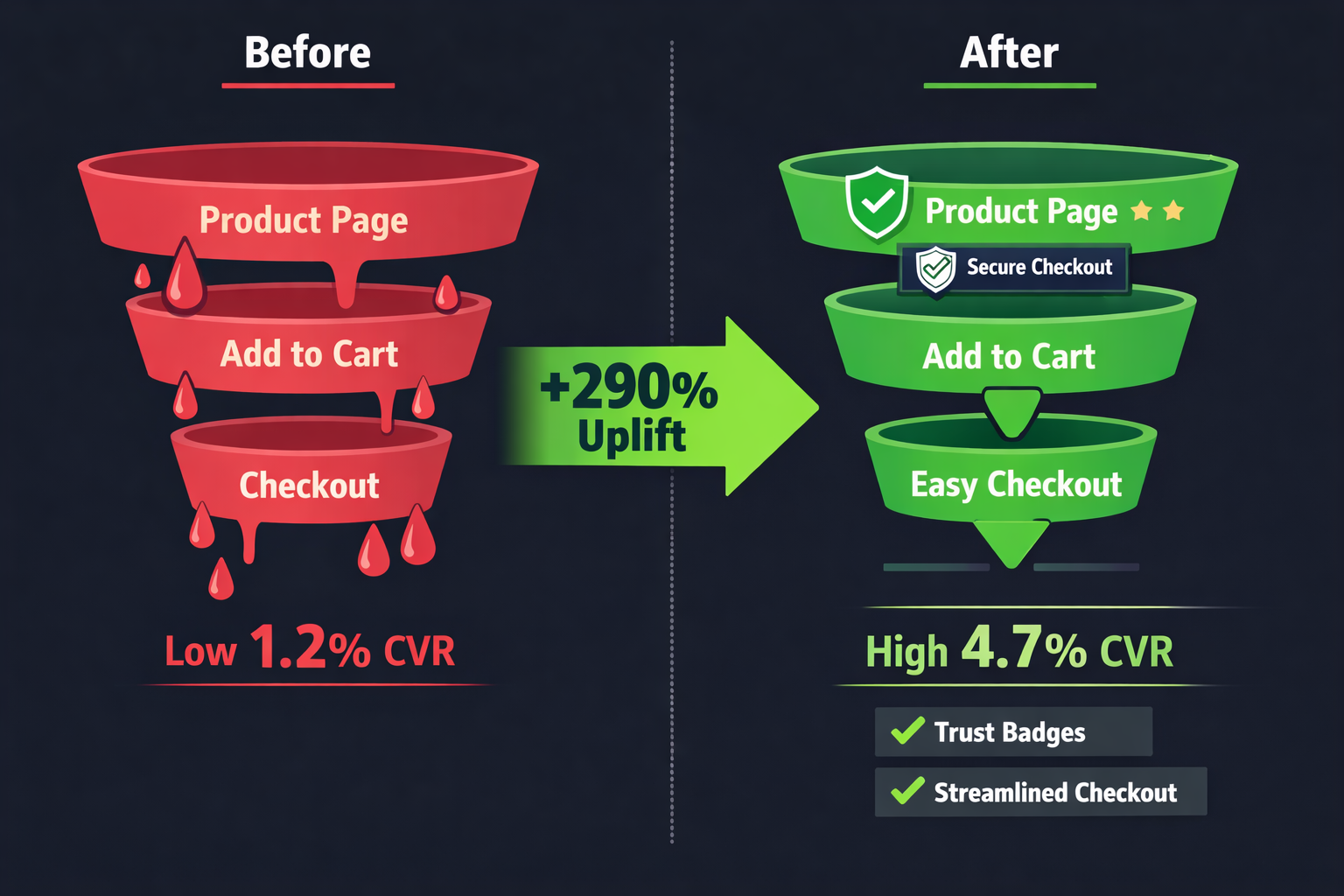
- Slow page speed → Compress images, use a CDN, reduce app bloat
- Forced account creation → Enable guest checkout immediately
- Surprise shipping costs → Show free shipping thresholds early and often
- Weak product descriptions → Lead with benefits, not features; answer objections
- No social proof → Add star ratings, review counts, UGC photos
- Poor mobile experience → Test on actual devices, not just desktop simulators
- Complicated navigation → Simplify menus, add search with autocomplete
⚡ Quick Win: Adding a free shipping threshold bar ("You're $12 away from free shipping!") typically increases average order value by 15–30% while also reducing cart abandonment.
Mobile-First Is Non-Negotiable in 2026
Over 70% of e-commerce traffic now comes from mobile devices, yet mobile conversion rates average nearly half of desktop rates. A proper E-commerce CRO Audit (Conversion Fixes) must treat mobile as the primary experience, not an afterthought.
Mobile-specific checks:
- Tap targets are at least 44x44px
- Forms use the correct keyboard type (numeric for phone/zip)
- Images load fast on 4G connections
- Sticky "Add to Cart" button follows the user on scroll
Building a CRO Culture: Making Optimization Ongoing
One-time audits have limited value. The highest-converting stores treat CRO as a continuous process, not a one-off project.
Monthly CRO rhythm:
- Week 1: Review analytics and session recordings
- Week 2: Identify top friction points
- Week 3: Launch A/B tests
- Week 4: Analyze results and implement winners
This cycle compounds over time. A store that improves conversion by just 0.5% per quarter can nearly double its CVR within two years — without touching ad spend.
Conclusion: Start Your E-commerce CRO Audit Today
The gap between a struggling store and a thriving one is rarely about traffic volume — it's about conversion efficiency. E-commerce CRO Audits (Conversion Fixes) provide the roadmap to extract maximum revenue from existing visitors, making every marketing dollar work harder.
Actionable next steps to take right now:
- ✅ Install Microsoft Clarity (free) and start capturing heatmaps and session recordings today
- ✅ Pull the funnel report in GA4 to find the biggest drop-off stage
- ✅ Run a 5-second test on the homepage — ask someone unfamiliar with the store what it sells and why they should buy
- ✅ Check mobile checkout on a real phone and note every friction point
- ✅ Prioritize fixes using the ICE framework and launch the first A/B test within 7 days
The stores winning in 2026 aren't necessarily the ones with the biggest ad budgets — they're the ones that convert the best. Start the audit, fix the leaks, and watch revenue grow.
Interactive CRO Audit Checklist
Use the tool below to score an e-commerce store and identify the highest-priority conversion fixes:
<!DOCTYPE html>
<html lang="en">
<head>
  <meta charset="UTF-8" />
  <meta name="viewport" content="width=device-width, initial-scale=1.0" />
  <title>E-commerce CRO Audit Scorecard</title>
  <style>
    * {
      box-sizing: border-box;
      margin: 0;
      padding: 0;
    }

    body {
      font-family: -apple-system, BlinkMacSystemFont, 'Segoe UI', Roboto, sans-serif;
      background: #f0f4f8;
      padding: 16px;
      color: #1a202c;
    }

    .cg-element-wrapper {
      max-width: 720px;
      margin: 0 auto;
      background: #ffffff;
      border-radius: 16px;
      box-shadow: 0 4px 24px rgba(0,0,0,0.10);
      overflow: hidden;
    }

    .cg-element-header {
      background: linear-gradient(135deg, #1a365d 0%, #2b6cb0 100%);
      color: #fff;
      padding: 28px 24px 20px;
      text-align: center;
    }

    .cg-element-header h2 {
      font-size: 1.4rem;
      font-weight: 700;
      margin-bottom: 6px;
    }

    .cg-element-header p {
      font-size: 0.9rem;
      opacity: 0.85;
    }

    .cg-element-body {
      padding: 20px 24px;
    }

    .cg-element-section-title {
      font-size: 0.8rem;
      font-weight: 700;
      text-transform: uppercase;
      letter-spacing: 0.08em;
      color: #2b6cb0;
      margin: 20px 0 10px;
      padding-bottom: 4px;
      border-bottom: 2px solid #bee3f8;
    }

    .cg-element-item {
      display: flex;
      align-items: flex-start;
      gap: 12px;
      padding: 10px 0;
      border-bottom: 1px solid #f0f4f8;
      cursor: pointer;
      transition: background 0.15s;
      border-radius: 6px;
      padding: 10px 8px;
    }

    .cg-element-item:hover {
      background: #ebf8ff;
    }

    .cg-element-item input[type="checkbox"] {
      width: 18px;
      height: 18px;
      accent-color: #38a169;
      cursor: pointer;
      flex-shrink: 0;
      margin-top: 2px;
    }

    .cg-element-item-label {
      flex: 1;
    }

    .cg-element-item-label span {
      font-size: 0.92rem;
      line-height: 1.4;
      color: #2d3748;
    }

    .cg-element-item-label .cg-element-impact {
      display: inline-block;
      font-size: 0.7rem;
      font-weight: 700;
      padding: 2px 7px;
      border-radius: 20px;
      margin-left: 6px;
      vertical-align: middle;
    }

    .cg-element-impact-high {
      background: #fed7d7;
      color: #c53030;
    }

    .cg-element-impact-medium {
      background: #fefcbf;
      color: #b7791f;
    }

    .cg-element-impact-low {
      background: #c6f6d5;
      color: #276749;
    }

    .cg-element-item.cg-element-checked label span,
    .cg-element-item.cg-element-checked .cg-element-item-label span {
      text-decoration: line-through;
      color: #a0aec0;
    }

    .cg-element-score-bar-wrap {
      margin: 24px 0 8px;
      background: #e2e8f0;
      border-radius: 999px;
      height: 18px;
      overflow: hidden;
    }

    .cg-element-score-bar {
      height: 100%;
      border-radius: 999px;
      background: linear-gradient(90deg, #e53e3e 0%, #d69e2e 40%, #38a169 80%);
      transition: width 0.5s cubic-bezier(.4,0,.2,1);
      width: 0%;
    }

    .cg-element-score-summary {
      display: flex;
      justify-content: space-between;
      align-items: center;
      margin-bottom: 4px;
    }

    .cg-element-score-label {
      font-size: 0.85rem;
      color: #4a5568;
    }

    .cg-element-score-number {
      font-size: 1.5rem;
      font-weight: 800;
      color: #1a365d;
    }

    .cg-element-result-box {
      margin-top: 16px;
      padding: 14px 16px;
      border-radius: 10px;
      font-size: 0.9rem;
      font-weight: 600;
      text-align: center;
      transition: all 0.3s;
    }

    .cg-element-result-danger {
      background: #fff5f5;
      border: 1.5px solid #fc8181;
      color: #c53030;
    }

    .cg-element-result-warning {
      background: #fffff0;
      border: 1.5px solid #f6e05e;
      color: #b7791f;
    }

    .cg-element-result-good {
      background: #f0fff4;
      border: 1.5px solid #68d391;
      color: #276749;
    }

    .cg-element-result-excellent {
      background: #ebf8ff;
      border: 1.5px solid #63b3ed;
      color: #2b6cb0;
    }

    .cg-element-reset-btn {
      display: block;
      width: 100%;
      margin-top: 18px;
      padding: 11px;
      background: #2b6cb0;
      color: #fff;
      border: none;
      border-radius: 8px;
      font-size: 0.95rem;
      font-weight: 700;
      cursor: pointer;
      transition: background 0.2s;
    }

    .cg-element-reset-btn:hover {
      background: #1a365d;
    }

    .cg-element-footer-note {
      text-align: center;
      font-size: 0.75rem;
      color: #a0aec0;
      padding: 12px 24px 16px;
    }

    @media (max-width: 480px) {
      .cg-element-header h2 { font-size: 1.1rem; }
      .cg-element-body { padding: 14px 14px; }
      .cg-element-score-number { font-size: 1.2rem; }
    }
  </style>
</head>
<body>
  <div class="cg-element-wrapper">
    <div class="cg-element-header">
      <h2>🛒 E-commerce CRO Audit Scorecard</h2>
      <p>Check off each item your store passes. See your conversion health score instantly.</p>
    </div>
    <div class="cg-element-body">

      <div class="cg-element-score-summary">
        <span class="cg-element-score-label">Your CRO Score</span>
        <span class="cg-element-score-number" id="cg-score-display">0 / 20</span>
      </div>
      <div class="cg-element-score-bar-wrap">
        <div class="cg-element-score-bar" id="cg-score-bar"></div>
      </div>
      <div class="cg-element-result-box cg-element-result-danger" id="cg-result-box">
        🚨 Critical issues likely — start your CRO audit immediately.
      </div>

      <!-- Section 1 -->
      <div class="cg-element-section-title">🏠 Homepage & Landing Page</div>

      <div class="cg-element-item" onclick="toggleCheck(this)">
        <input type="checkbox" />
        <div class="cg-element-item-label">
          <span>Value proposition is clear within 5 seconds <span class="cg-element-impact cg-element-impact-high">HIGH</span></span>
        </div>
      </div>
      <div class="cg-element-item" onclick="toggleCheck(this)">
        <input type="checkbox" />
        <div class="cg-element-item-label">
          <span>Trust signals visible above the fold (reviews, badges) <span class="cg-element-impact cg-element-impact-high">HIGH</span></span>
        </div>
      </div>
      <div class="cg-element-item" onclick="toggleCheck(this)">
        <input type="checkbox" />
        <div class="cg-element-item-label">
          <span>Page loads in under 2.5 seconds on mobile <span class="cg-element-impact cg-element-impact-high">HIGH</span></span>
        </div>
      </div>
      <div class="cg-element-item" onclick="toggleCheck(this)">
        <input type="checkbox" />
        <div class="cg-element-item-label">
          <span>Navigation is simple with clear category structure <span class="cg-element-impact cg-element-impact-medium">MED</span></span>
        </div>
      </div>

      <!-- Section 2 -->
      <div class="cg-element-section-title">📄 Product Pages</div>

      <div class="cg-element-item" onclick="toggleCheck(this)">
        <input type="checkbox" />
        <div class="cg-element-item-label">
          <span>High-quality images with multiple angles & zoom <span class="cg-element-impact cg-element-impact-high">HIGH</span></span>
        </div>
      </div>
      <div class="cg-element-item" onclick="toggleCheck(this)">
        <input type="checkbox" />
        <div class="cg-element-item-label">
          <span>Star ratings and review count visible near product title <span class="cg-element-impact cg-element-impact-high">HIGH</span></span>
        </div>
      </div>
      <div class="cg-element-item" onclick="toggleCheck(this)">
        <input type="checkbox" />
        <div class="cg-element-item-label">
          <span>Add-to-Cart button is high-contrast and above the fold <span class="cg-element-impact cg-element-impact-high">HIGH</span></span>
        </div>
      </div>
      <div class="cg-element-item" onclick="toggleCheck(this)">
        <input type="checkbox" />
        <div class="cg-element-item-label">
          <span>Returns policy and shipping time clearly stated <span class="cg-element-impact cg-element-impact-medium">MED</span></span>
        </div>
      </div>
      <div class="cg-element-item" onclick="toggleCheck(this)">
        <input type="checkbox" />
        <div class="cg-element-item-label">
          <span>Product descriptions lead with benefits, not just features <span class="cg-element-impact cg-element-impact-medium">MED</span></span>
        </div>
      </div>

      <!-- Section 3 -->
      <div class="cg-element-section-title">🛒 Cart Page</div>

      <div class="cg-element-item" onclick="toggleCheck(this)">
        <input type="checkbox" />
        <div class="cg-element-item-label">
          <span>Shipping costs shown clearly (no surprise fees) <span class="cg-element-impact cg-element-impact-high">HIGH</span></span>
        </div>
      </div>
      <div class="cg-element-item" onclick="toggleCheck(this)">
        <input type="checkbox" />
        <div class="cg-element-item-label">
          <span>Free shipping threshold progress bar displayed <span class="cg-element-impact cg-element-impact-medium">MED</span></span>
        </div>
      </div>
      <div class="cg-element-item" onclick="toggleCheck(this)">
        <input type="checkbox" />
        <div class="cg-element-item-label">
          <span>Upsell/cross-sell suggestions are relevant and non-intrusive <span class="cg-element-impact cg-element-impact-low">LOW</span></span>
        </div>
      </div>

      <!-- Section 4 -->
      <div class="cg-element-section-title">💳 Checkout Flow</div>

      <div class="cg-element-item" onclick="toggleCheck(this)">
        <input type="checkbox" />
        <div class="cg-element-item-label">
          <span>Guest checkout is available (no forced account creation) <span class="cg-element-impact cg-element-impact-high">HIGH</span></span>
        </div>
      </div>
      <div class="cg-element-item" onclick="toggleCheck(this)">
        <input type="checkbox" />
        <div class="cg-element-item-label">
          <span>Checkout form is minimal with autofill enabled <span class="cg-element-impact cg-element-impact-high">HIGH</span></span>
        </div>
      </div>
      <div class="cg-element-item" onclick="toggleCheck(this)">
        <input type="checkbox" />
        <div class="cg-element-item-label">
          <span>Multiple payment options available (PayPal, Apple Pay, BNPL) <span class="cg-element-impact cg-element-impact-high">HIGH</span></span>
        </div>
      </div>
      <div class="cg-element-item" onclick="toggleCheck(this)">
        <input type="checkbox" />
        <div class="cg-element-item-label">
          <span>Security badges and SSL indicators visible at checkout <span class="cg-element-impact cg-element-impact-medium">MED</span></span>
        </div>
      </div>

      <!-- Section 5 -->
      <div class="cg-element-section-title">📱 Mobile Experience</div>

      <div class="cg-element-item" onclick="toggleCheck(this)">
        <input type="checkbox" />
        <div class="cg-element-item-label">
          <span>All tap targets are at least 44x44px <span class="cg-element-impact cg-element-impact-high">HIGH</span></span>
        </div>
      </div>
      <div class="cg-element-item" onclick="toggleCheck(this)">
        <input type="checkbox" />
        <div class="cg-element-item-label">
          <span>Sticky Add-to-Cart button follows user on scroll <span class="cg-element-impact cg-element-impact-medium">MED</span></span>
        </div>
      </div>
      <div class="cg-element-item" onclick="toggleCheck(this)">
        <input type="checkbox" />
        <div class="cg-element-item-label">
          <span>Forms use correct keyboard type (numeric for zip/phone) <span class="cg-element-impact cg-element-impact-low">LOW</span></span>
        </div>
      </div>
      <div class="cg-element-item" onclick="toggleCheck(this)">
        <input type="checkbox" />
        <div class="cg-element-item-label">
          <span>Site tested on real mobile device (not just desktop simulator) <span class="cg-element-impact cg-element-impact-medium">MED</span></span>
        </div>
      </div>

      <button class="cg-element-reset-btn" onclick="resetAll()">🔄 Reset Scorecard</button>
    </div>
    <div class="cg-element-footer-note">E-commerce CRO Audit Scorecard · 20 conversion checkpoints · 2026</div>
  </div>

  <script>
    var cg_total = 20;
    var cg_checked = 0;

    function toggleCheck(item) {
      var cb = item.querySelector('input[type="checkbox"]');
      cb.checked = !cb.checked;
      if (cb.checked) {
        item.classList.add('cg-element-checked');
        cg_checked++;
      } else {
        item.classList.remove('cg-element-checked');
        cg_checked--;
      }
      updateScore();
    }

    function updateScore() {
      var pct = Math.round((cg_checked / cg_total) * 100);
      document.getElementById('cg-score-display').textContent = cg_checked + ' / ' + cg_total;
      document.getElementById('cg-score-bar').style.width = pct + '%';

      var box = document.getElementById('cg-result-box');
      box.className = 'cg-element-result-box';

      if (pct < 30) {
        box.classList.add('cg-element-result-danger');
        box.textContent = '🚨 Score: ' + pct + '% — Critical issues likely. Start your CRO audit immediately.';
      } else if (pct < 55) {
        box.classList.add('cg-element-result-warning');
        box.textContent = '⚠️ Score: ' + pct + '% — Significant revenue is being left on the table. Prioritize HIGH-impact fixes.';
      } else if (pct < 80) {
        box.classList.add('cg-element-result-good');
        box.textContent = '✅ Score: ' + pct + '% — Good foundation! Focus on remaining items to push past 3% CVR.';
      } else {
        box.classList.add('cg-element-result-excellent');
        box.textContent = '🏆 Score: ' + pct + '% — Excellent! Your store is well-optimized. Now A/B test to find the next 1%.';
      }
    }

    function resetAll() {
      var items = document.querySelectorAll('.cg-element-item');
      items.forEach(function(item) {
        var cb = item.querySelector('input[type="checkbox"]');
        cb.checked = false;
        item.classList.remove('cg-element-checked');
      });
      cg_checked = 0;
      updateScore();
    }

    updateScore();
  </script>
</body>
</html>
Tags: e-commerce CRO audits, conversion rate optimization, conversion fixes, CRO audit framework, e-commerce optimization, checkout abandonment, A/B testing, Shopify CRO, funnel analysis, cart abandonment fixes, heatmap analysis, online store conversions