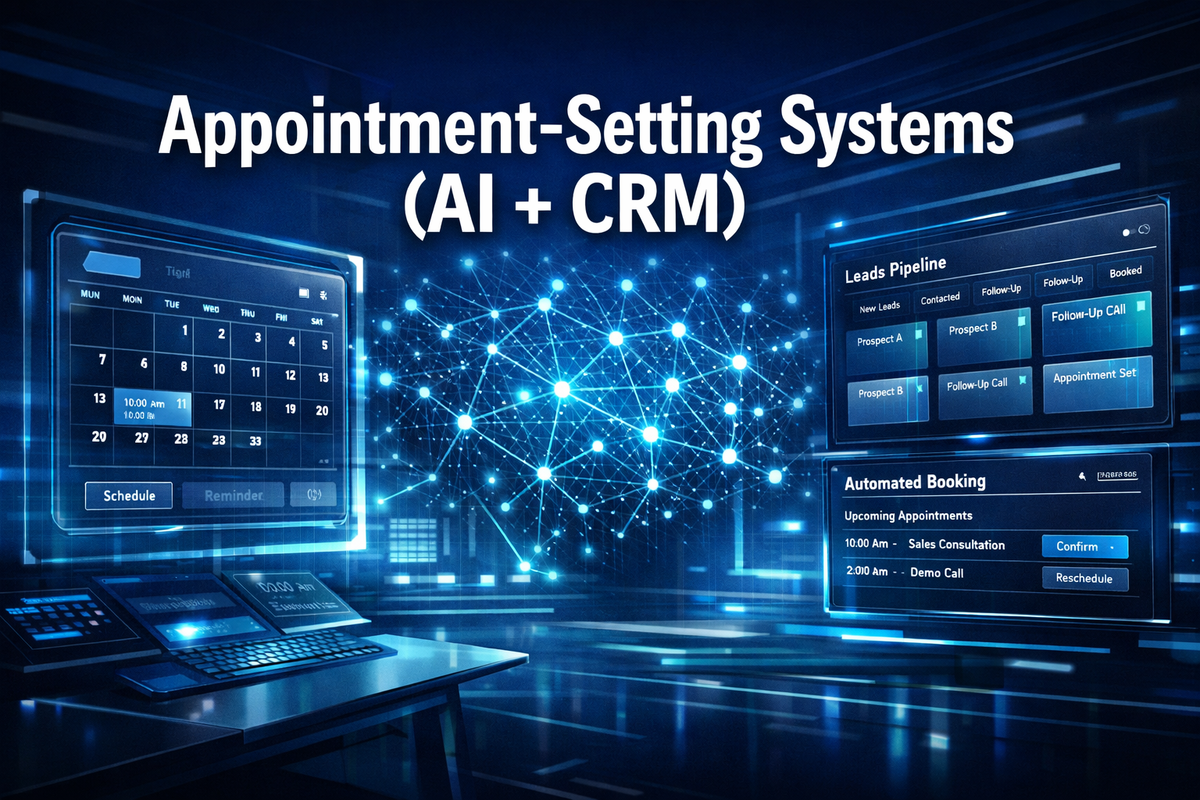
Appointment-Setting Systems (AI + CRM)

Businesses that respond to a lead within 5 minutes are 9 times more likely to convert that lead than those who wait even 30 minutes — yet most small businesses take over 47 hours to follow up. That gap is exactly where Appointment-Setting Systems (AI + CRM) step in, and why they've become one of the fastest-growing revenue tools for online entrepreneurs today.
Whether you're running a coaching business, a digital agency, or a SaaS product, combining artificial intelligence with a customer relationship management platform creates a system that books calls, qualifies leads, and fills your calendar — while you sleep.
Key Takeaways 📌
- Appointment-Setting Systems (AI + CRM) automate lead capture, qualification, and booking — reducing manual follow-up by up to 80%.
- AI chatbots and scheduling tools can respond to leads 24/7, dramatically increasing conversion rates.
- CRM integration ensures every booked appointment is tracked, nurtured, and followed up automatically.
- The right tech stack can be built affordably, even for solopreneurs and small teams.
- These systems are a core income-generating asset for online entrepreneurs in 2026.
What Are Appointment-Setting Systems (AI + CRM)?
At their core, Appointment-Setting Systems (AI + CRM) are automated pipelines that handle the entire journey from "stranger sees your ad" to "prospect is booked on your calendar." They combine two powerful technologies:
| Component | Role in the System |
|---|---|
| AI (Chatbots, NLP, Automation) | Engages leads instantly, qualifies them, and offers booking slots |
| CRM (Customer Relationship Manager) | Stores lead data, tracks pipeline stages, triggers follow-up sequences |
| Calendar Integration | Syncs availability and confirms appointments in real time |
| Automated Follow-Up | Sends reminders, reduces no-shows, re-engages cold leads |
💡 Pull Quote: "An AI + CRM appointment system doesn't just save time — it creates a scalable revenue infrastructure that works independently of your availability."
The Problem These Systems Solve
Manual appointment setting is a revenue killer. Human SDRs (sales development reps) can only handle so many leads per day. They miss follow-ups, forget to send reminders, and can't respond at 2 AM when a motivated buyer is ready to book.
Common pain points solved by AI + CRM systems:
- ❌ Leads go cold because follow-up is slow
- ❌ No-show rates drain time and revenue
- ❌ Inconsistent qualification wastes sales team energy
- ❌ Manual data entry creates CRM gaps and errors
- ❌ Scaling outreach requires hiring more people
How Appointment-Setting Systems (AI + CRM) Actually Work
Understanding the mechanics helps you build — or buy — the right system for your business model.
Step 1: Lead Capture
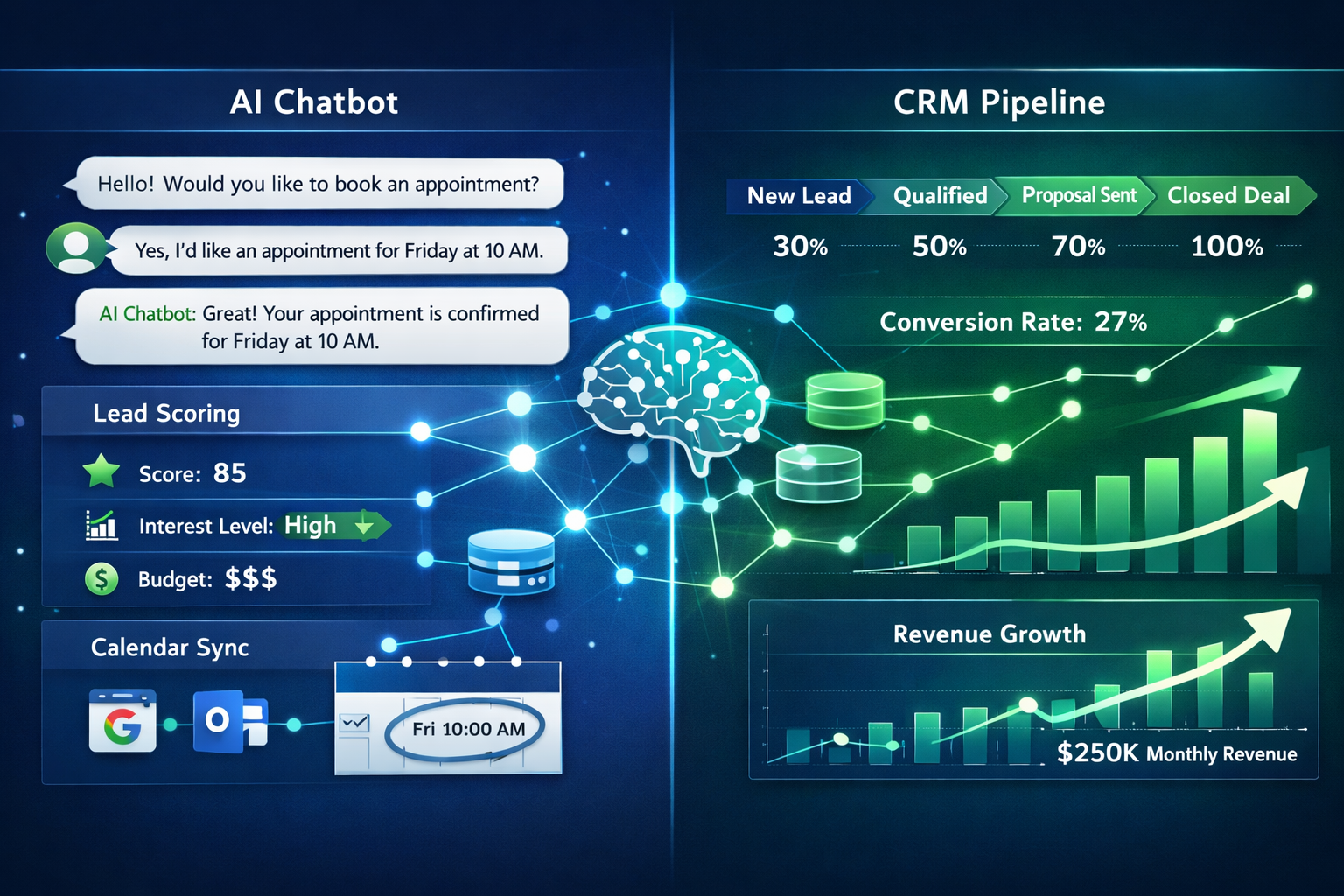
Traffic arrives from ads, organic content, or outbound outreach. An AI-powered landing page or chatbot immediately engages the visitor. Tools like ManyChat, Drift, or GoHighLevel's built-in bot ask qualifying questions in a conversational tone.
Step 2: AI Qualification
The AI uses pre-set logic (or machine learning in advanced systems) to score the lead. Questions might include:
- What's your monthly revenue?
- What's your biggest challenge right now?
- Are you ready to invest in a solution?
Leads that meet your criteria are pushed forward. Those that don't are tagged for a nurture sequence.
Step 3: Automated Booking
Qualified leads are immediately shown a calendar embed (Calendly, Cal.com, or native CRM scheduling). The AI confirms the slot, sends a calendar invite, and triggers a confirmation email or SMS — all within seconds.
Step 4: CRM Pipeline Tracking
Every interaction is logged in the CRM. The lead moves through pipeline stages automatically: New Lead → Qualified → Booked → Showed → Closed
Step 5: Automated Reminders & Follow-Up
The system sends:
- 📅 Booking confirmation (immediate)
- 🔔 Reminder 24 hours before
- 📱 SMS reminder 1 hour before
- 📧 Re-engagement email if they no-show
No-show rates drop by 30–45% with multi-touch reminder sequences, according to scheduling platform data.
Building Your AI + CRM Appointment Stack

You don't need a six-figure tech budget. Here's a practical stack for different budget levels:
🟢 Starter Stack (Under $200/month)
- CRM: GoHighLevel (all-in-one, ~$97/mo) or HubSpot Free
- Scheduling: Calendly or Cal.com
- AI Chatbot: Tidio or ManyChat
- Automation: Built-in workflows within GoHighLevel
🔵 Growth Stack ($200–$600/month)
- CRM: Salesforce Starter or Pipedrive + Zapier
- AI Qualification: Drift or Intercom
- Scheduling: Chili Piper (for high-volume teams)
- Email/SMS: ActiveCampaign or Klaviyo
🟣 Enterprise Stack ($600+/month)
- CRM: Salesforce or HubSpot Professional
- AI Layer: Custom GPT-4 integrations via API
- Revenue Intelligence: Gong or Chorus for call analysis
- Routing Logic: LeanData for complex lead routing
🔑 Pro Tip: For most online entrepreneurs starting out, GoHighLevel is the most cost-effective all-in-one solution. It includes CRM, funnels, scheduling, AI chatbot, and automation in a single platform.
Key Integrations to Prioritize
A great appointment-setting system connects these dots:
- Ad platform → Landing page → AI chatbot (top of funnel)
- Chatbot → CRM lead record (data capture)
- CRM → Calendar tool (booking)
- Calendar → Email/SMS automation (nurture & reminders)
- CRM → Reporting dashboard (optimization)
Monetizing Appointment-Setting Systems (AI + CRM) as an Online Business
Here's where it gets exciting for entrepreneurs. These systems aren't just tools — they're sellable services and scalable products.
Revenue Model 1: Appointment-Setting Agency
Build and manage AI + CRM systems for local businesses (dentists, lawyers, real estate agents, coaches). Charge $1,500–$5,000 for setup + $500–$2,000/month in retainer fees.
Revenue Model 2: SaaS White-Labeling
Platforms like GoHighLevel allow white-labeling. Resell the platform under your own brand to clients at a markup. Margins of 60–80% are common.
Revenue Model 3: Done-For-You Funnels
Package AI chatbot + CRM setup + appointment funnel as a productized service. Sell as a one-time deliverable for $2,000–$10,000 depending on complexity.
Revenue Model 4: Course/Coaching
Teach other entrepreneurs how to build and sell these systems. The demand for this knowledge is enormous in 2026.
📊 Market context: The global AI in CRM market is projected to reach $48.4 billion by 2033, growing at a CAGR of over 23% (Grand View Research). Early movers building expertise now are positioned to capture significant market share.
Common Mistakes to Avoid
Even well-funded teams get this wrong. Watch out for:
- Over-automating too early: Build the system manually first, then automate what works.
- Ignoring mobile UX: Over 60% of leads will interact with your chatbot on mobile. Test everything on a phone.
- Weak qualification questions: Vague questions produce unqualified bookings that waste sales time.
- No human handoff protocol: AI should escalate complex or high-value leads to a human quickly.
- Skipping A/B testing: Test chatbot scripts, reminder timing, and CTA copy regularly.
Conclusion: Your Next Steps to Building an AI + CRM Appointment Machine
Appointment-Setting Systems (AI + CRM) represent one of the highest-leverage investments an online entrepreneur can make in 2026. They compress the sales cycle, eliminate manual bottlenecks, and create a consistent, scalable pipeline that generates revenue around the clock.
Actionable next steps:
- ✅ Audit your current lead response time — if it's over 5 minutes, you're losing money.
- ✅ Choose a starter stack — GoHighLevel is the recommended entry point for most online entrepreneurs.
- ✅ Map your lead-to-booking journey — write out every step before automating anything.
- ✅ Build a simple AI qualification chatbot with 3–5 qualifying questions.
- ✅ Integrate your calendar and set up a 3-touch reminder sequence to cut no-shows.
- ✅ Track your show rate, conversion rate, and cost per booked call weekly.
The businesses winning in 2026 aren't working harder — they're building smarter systems. An AI + CRM appointment engine is the foundation of that advantage.
References
- Grand View Research. (2024). AI in CRM Market Size, Share & Trends Analysis Report. grandviewresearch.com
- InsideSales.com. (2011). Lead Response Management Study. hbr.org/2011/03/the-short-life-of-online-sales
- Calendly. (2023). The State of Scheduling Report. calendly.com
- HubSpot. (2023). State of Sales Report. hubspot.com
- Salesforce. (2023). State of the Connected Customer. salesforce.com
<!DOCTYPE html>
<html lang="en">
<head>
  <meta charset="UTF-8" />
  <meta name="viewport" content="width=device-width, initial-scale=1.0"/>
  <title>AI + CRM Appointment System Stack Selector</title>
  <style>
    * {
      box-sizing: border-box;
      margin: 0;
      padding: 0;
    }

    body {
      font-family: 'Segoe UI', Tahoma, Geneva, Verdana, sans-serif;
      background: #f0f4f8;
      padding: 20px;
      color: #1a202c;
    }

    .cg-element-wrapper {
      max-width: 720px;
      margin: 0 auto;
      background: #ffffff;
      border-radius: 16px;
      box-shadow: 0 8px 32px rgba(0,0,0,0.12);
      overflow: hidden;
    }

    .cg-element-header {
      background: linear-gradient(135deg, #0f2d6b 0%, #1a6b8a 100%);
      padding: 28px 32px;
      text-align: center;
    }

    .cg-element-header h2 {
      color: #ffffff;
      font-size: 1.4rem;
      font-weight: 700;
      margin-bottom: 6px;
    }

    .cg-element-header p {
      color: #a8d8ea;
      font-size: 0.9rem;
    }

    .cg-element-body {
      padding: 28px 32px;
    }

    .cg-element-question {
      margin-bottom: 22px;
    }

    .cg-element-question label {
      display: block;
      font-weight: 600;
      font-size: 0.95rem;
      color: #2d3748;
      margin-bottom: 10px;
    }

    .cg-element-options {
      display: flex;
      flex-wrap: wrap;
      gap: 10px;
    }

    .cg-element-option {
      flex: 1 1 calc(50% - 10px);
      min-width: 140px;
      padding: 10px 14px;
      border: 2px solid #e2e8f0;
      border-radius: 10px;
      background: #f7fafc;
      cursor: pointer;
      font-size: 0.88rem;
      color: #4a5568;
      transition: all 0.2s ease;
      text-align: center;
      user-select: none;
    }

    .cg-element-option:hover {
      border-color: #1a6b8a;
      background: #ebf8ff;
      color: #1a6b8a;
    }

    .cg-element-option.cg-selected {
      border-color: #0f2d6b;
      background: #0f2d6b;
      color: #ffffff;
      font-weight: 600;
    }

    .cg-element-btn {
      display: block;
      width: 100%;
      padding: 14px;
      background: linear-gradient(135deg, #0f2d6b, #1a6b8a);
      color: white;
      border: none;
      border-radius: 10px;
      font-size: 1rem;
      font-weight: 700;
      cursor: pointer;
      margin-top: 10px;
      transition: opacity 0.2s ease;
    }

    .cg-element-btn:hover {
      opacity: 0.9;
    }

    .cg-element-result {
      display: none;
      margin-top: 24px;
      padding: 22px;
      border-radius: 12px;
      background: linear-gradient(135deg, #e6f7ff, #f0fff4);
      border: 2px solid #38b2ac;
    }

    .cg-element-result h3 {
      font-size: 1.1rem;
      color: #0f2d6b;
      margin-bottom: 8px;
    }

    .cg-element-result .cg-stack-badge {
      display: inline-block;
      padding: 4px 12px;
      border-radius: 20px;
      font-size: 0.8rem;
      font-weight: 700;
      margin-bottom: 14px;
    }

    .cg-badge-starter { background: #c6f6d5; color: #276749; }
    .cg-badge-growth  { background: #bee3f8; color: #2b6cb0; }
    .cg-badge-enterprise { background: #e9d8fd; color: #553c9a; }

    .cg-element-result ul {
      list-style: none;
      padding: 0;
    }

    .cg-element-result ul li {
      padding: 6px 0;
      font-size: 0.9rem;
      color: #2d3748;
      border-bottom: 1px solid #e2e8f0;
      display: flex;
      align-items: flex-start;
      gap: 8px;
    }

    .cg-element-result ul li:last-child {
      border-bottom: none;
    }

    .cg-element-result ul li::before {
      content: "✅";
      flex-shrink: 0;
    }

    .cg-element-reset {
      background: none;
      border: 2px solid #0f2d6b;
      color: #0f2d6b;
      border-radius: 10px;
      padding: 10px;
      width: 100%;
      margin-top: 14px;
      font-size: 0.9rem;
      font-weight: 600;
      cursor: pointer;
      transition: all 0.2s;
    }

    .cg-element-reset:hover {
      background: #0f2d6b;
      color: white;
    }

    .cg-element-footer {
      text-align: center;
      font-size: 0.75rem;
      color: #a0aec0;
      padding: 14px 20px;
      border-top: 1px solid #e2e8f0;
    }

    @media (max-width: 480px) {
      .cg-element-body { padding: 20px 18px; }
      .cg-element-option { flex: 1 1 100%; }
    }
  </style>
</head>
<body>
  <div class="cg-element-wrapper">
    <div class="cg-element-header">
      <h2>🤖 AI + CRM Stack Selector</h2>
      <p>Answer 3 quick questions to find your ideal appointment-setting system</p>
    </div>
    <div class="cg-element-body">

      <div class="cg-element-question" id="cg-q1">
        <label>1. What's your monthly budget for tools?</label>
        <div class="cg-element-options">
          <div class="cg-element-option" data-q="budget" data-v="low">Under $200/mo</div>
          <div class="cg-element-option" data-q="budget" data-v="mid">$200–$600/mo</div>
          <div class="cg-element-option" data-q="budget" data-v="high">$600+/mo</div>
          <div class="cg-element-option" data-q="budget" data-v="low">Just starting out</div>
        </div>
      </div>

      <div class="cg-element-question" id="cg-q2">
        <label>2. What's your primary business model?</label>
        <div class="cg-element-options">
          <div class="cg-element-option" data-q="model" data-v="solo">Solo / Coaching</div>
          <div class="cg-element-option" data-q="model" data-v="agency">Agency / Freelance</div>
          <div class="cg-element-option" data-q="model" data-v="saas">SaaS / Product</div>
          <div class="cg-element-option" data-q="model" data-v="enterprise">Enterprise Sales</div>
        </div>
      </div>

      <div class="cg-element-question" id="cg-q3">
        <label>3. How many leads do you handle per month?</label>
        <div class="cg-element-options">
          <div class="cg-element-option" data-q="volume" data-v="low">Under 50</div>
          <div class="cg-element-option" data-q="volume" data-v="mid">50–300</div>
          <div class="cg-element-option" data-q="volume" data-v="high">300–1,000</div>
          <div class="cg-element-option" data-q="volume" data-v="enterprise">1,000+</div>
        </div>
      </div>

      <button class="cg-element-btn" onclick="cgCalculateStack()">🔍 Find My Ideal Stack</button>

      <div class="cg-element-result" id="cg-result">
        <h3 id="cg-result-title">Your Recommended Stack</h3>
        <span class="cg-stack-badge" id="cg-result-badge"></span>
        <ul id="cg-result-list"></ul>
        <button class="cg-element-reset" onclick="cgResetTool()">↩ Start Over</button>
      </div>
    </div>
    <div class="cg-element-footer">
      AI + CRM Appointment-Setting Stack Selector · For informational purposes only
    </div>
  </div>

  <script>
    var cgAnswers = {};

    document.querySelectorAll('.cg-element-option').forEach(function(opt) {
      opt.addEventListener('click', function() {
        var q = this.getAttribute('data-q');
        var v = this.getAttribute('data-v');
        cgAnswers[q] = v;
        document.querySelectorAll('.cg-element-option[data-q="' + q + '"]').forEach(function(o) {
          o.classList.remove('cg-selected');
        });
        this.classList.add('cg-selected');
      });
    });

    function cgCalculateStack() {
      if (!cgAnswers.budget || !cgAnswers.model || !cgAnswers.volume) {
        alert('Please answer all 3 questions to get your recommendation!');
        return;
      }

      var stacks = {
        starter: {
          label: '🟢 Starter Stack (Under $200/mo)',
          badge: 'Starter',
          badgeClass: 'cg-badge-starter',
          tools: [
            'CRM: GoHighLevel ($97/mo) — all-in-one platform',
            'Scheduling: Calendly Free or Cal.com (open source)',
            'AI Chatbot: Tidio or ManyChat (free tier)',
            'Automation: GoHighLevel built-in workflows',
            'Email/SMS: Included in GoHighLevel'
          ]
        },
        growth: {
          label: '🔵 Growth Stack ($200–$600/mo)',
          badge: 'Growth',
          badgeClass: 'cg-badge-growth',
          tools: [
            'CRM: Pipedrive ($49/mo) + Zapier for integrations',
            'Scheduling: Chili Piper or Calendly Teams',
            'AI Chatbot: Intercom or Drift (starter plan)',
            'Email Automation: ActiveCampaign ($79/mo)',
            'Lead Routing: Zapier workflows + CRM rules'
          ]
        },
        enterprise: {
          label: '🟣 Enterprise Stack ($600+/mo)',
          badge: 'Enterprise',
          badgeClass: 'cg-badge-enterprise',
          tools: [
            'CRM: HubSpot Professional or Salesforce',
            'AI Layer: Custom GPT-4 API integration',
            'Scheduling: Chili Piper Enterprise',
            'Revenue Intelligence: Gong or Chorus.ai',
            'Lead Routing: LeanData for complex logic'
          ]
        }
      };

      var score = 0;

      if (cgAnswers.budget === 'high') score += 3;
      else if (cgAnswers.budget === 'mid') score += 2;
      else score += 0;

      if (cgAnswers.model === 'enterprise') score += 3;
      else if (cgAnswers.model === 'saas' || cgAnswers.model === 'agency') score += 2;
      else score += 0;

      if (cgAnswers.volume === 'enterprise') score += 3;
      else if (cgAnswers.volume === 'high') score += 2;
      else if (cgAnswers.volume === 'mid') score += 1;
      else score += 0;

      var chosen;
      if (score >= 7) chosen = stacks.enterprise;
      else if (score >= 4) chosen = stacks.growth;
      else chosen = stacks.starter;

      document.getElementById('cg-result-title').textContent = chosen.label;
      var badge = document.getElementById('cg-result-badge');
      badge.textContent = chosen.badge + ' Tier';
      badge.className = 'cg-stack-badge ' + chosen.badgeClass;

      var list = document.getElementById('cg-result-list');
      list.innerHTML = '';
      chosen.tools.forEach(function(tool) {
        var li = document.createElement('li');
        li.textContent = tool;
        list.appendChild(li);
      });

      var result = document.getElementById('cg-result');
      result.style.display = 'block';
      result.scrollIntoView({ behavior: 'smooth', block: 'nearest' });
    }

    function cgResetTool() {
      cgAnswers = {};
      document.querySelectorAll('.cg-element-option').forEach(function(o) {
        o.classList.remove('cg-selected');
      });
      document.getElementById('cg-result').style.display = 'none';
    }
  </script>
</body>
</html>
Tags: appointment setting, AI CRM systems, automated lead generation, CRM automation, GoHighLevel, online business tools, AI chatbot booking, sales funnel automation, appointment setting agency, make money online, lead conversion, scheduling automation